
Key takeaways
- Content moderation is the process of reviewing, filtering, and responding to user-generated content on your social channels to protect your brand, your audience, and your team.
- The five main types of moderation (pre, post, reactive, distributed, and automated) each balance speed, scale, and human oversight differently.
- AI-powered moderation handles volume and speed, but human moderators are still essential for context, nuance, and sensitive conversations.
- A strong moderation workflow combines clear policies, the right tools, and governance frameworks to keep decisions consistent across teams, platforms, and regions.
What is content moderation?
Content moderation is the process of reviewing, filtering, and responding to comments, messages, and other user-generated content on your social channels.
The goal is simple: make sure real people get real responses, while spam, trolls, and harmful content get filtered out.
The practice has changed a lot. What used to be a queue of comments reviewed by hand is now a mix of AI-assisted filtering at the first pass and human review for anything sensitive or ambiguous. Moderation also stretches beyond your own posts, covering mentions, reviews, and conversations happening about your brand elsewhere online.
Content moderation protects your brand by flagging or removing anything that could harm your reputation or your audience’s experience, making it a core part of any social media strategy.
Why is content moderation important?
Content moderation keeps your brand in check. It helps you stay responsive, protect your reputation, and get ahead of issues early.
Here are three reasons content moderation matters:
1. It supports customer service
Customers often turn to social for support. A content moderator makes sure those messages get answered quickly, whether that means replying directly or routing them to the right team.
On smaller teams, moderators may handle responses themselves. On larger teams, they help triage incoming DMs, comments, and complaints so nothing slips through the cracks.
One thing to keep in mind: moderation isn’t about deleting every negative comment to make your brand look perfect, and it’s not about censorship either. The goal is to remove harmful content, not silence constructive criticism.
2. It protects your brand image
Content moderation protects your brand image in two big ways: by making sure customers feel heard, and by keeping your channels free of offensive content.
Customers notice when a brand ignores them. Even if someone reaches out privately, they’ll often vent their frustration publicly if no one responds. Staying on top of incoming messages helps build social trust, and shows the world that your brand actually pays attention.
At the same time, unchecked negativity can quietly chip away at your brand image over time. You might get some sympathy points at first, but readers eventually start to associate your channels with the chaos in your comments, not the content you’re posting.
This matters even more when you’re working with influencers or sharing user-generated content. If a creator shares their work with your brand and gets hit with toxicity in the comments, they’re unlikely to ever do it again, and your UGC pipeline takes the hit.
3. It helps you get ahead of crises
Content moderation helps with crisis management because moderators are often the first to spot a brewing PR issue.
A sudden spike in angry comments, coordinated trolling, or misinformation about your brand can escalate fast, and catching it early gives your team time to respond before it spirals.
A good moderator pays attention to patterns: Are the same complaints coming up again and again? Are people misinterpreting a recent post? Spotting these signals early lets your team loop in PR, leadership, or legal.
In short: moderation isn’t just about cleaning up comments. It’s about keeping your finger on the pulse of how your brand is being talked about, so you can act fast when it matters.
What types of content can you moderate?
Before picking a moderation method, it helps to know what you’re actually moderating. Content moderation covers multiple surfaces online, from public comments to direct messages and mentions. Most moderation teams handle a mix of the following:
- Public comments: Replies on your social media posts across platforms like Instagram, Facebook, LinkedIn, and TikTok.
- Direct messages (DMs): Private conversations between your brand and customers, often involving questions or complaints.
- Mentions and tags: Posts where users mention your brand, with or without tagging your account directly.
- Reviews and ratings: Customer feedback on platforms like Google, Yelp, Facebook, or your own website.
- User-generated content (UGC): Photos, videos, and posts created by customers or fans about your brand.
- Livestreams: Real-time comments during live events on platforms like Instagram Live, TikTok Live, or YouTube Live.
- Forums and community spaces: Comments and discussions on Discord servers, subreddits, or Facebook Groups.
- Influencer and partner content: Posts from creators or brand partners that feature your products, especially when comments roll in on those posts.
- AI-generated content: Synthetic images, video, and text posted by users or impersonator accounts, which most major platforms now ask creators to label. TikTok flagged 2.1% of its removed videos as edited media and AI-generated content in Q1 2026.
In short, if it’s a place where someone can talk to or about your brand, it probably needs some level of moderation.
What are the types of content moderation?
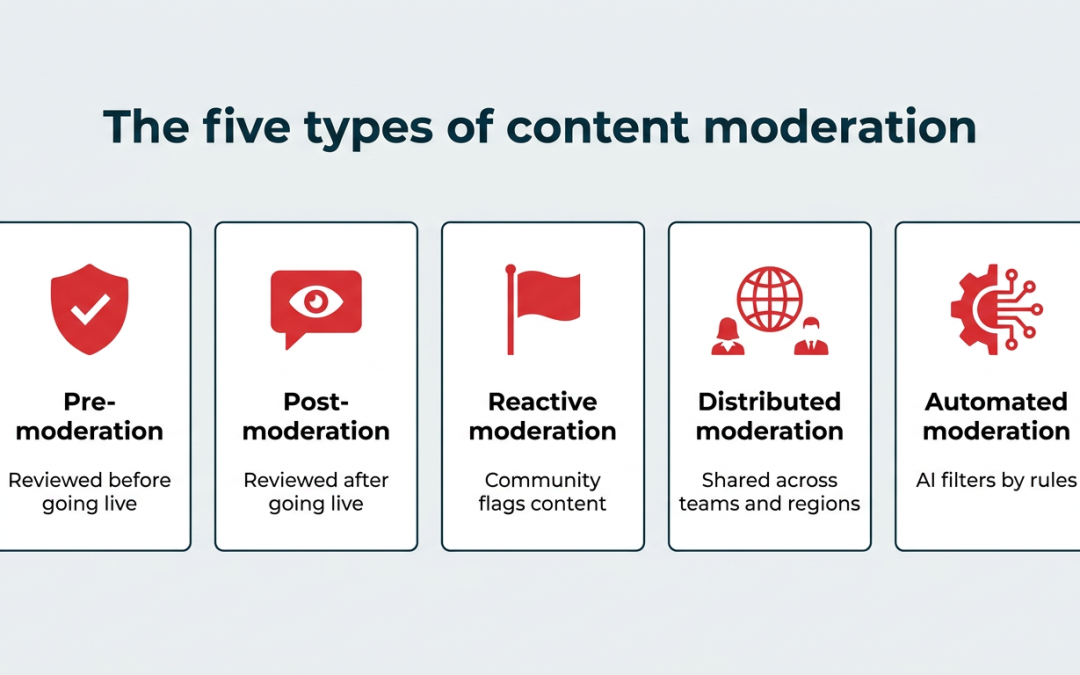
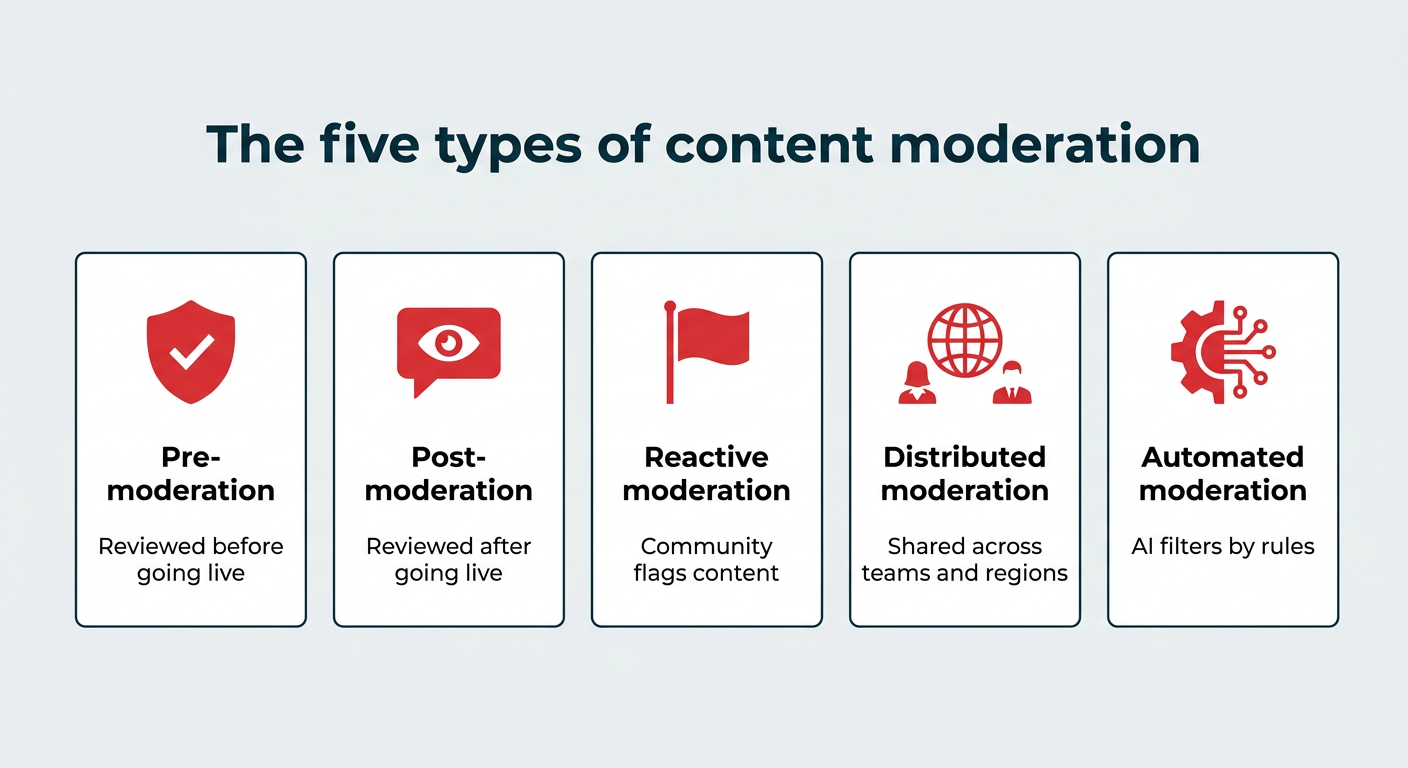
There are five main types of content moderation, each with its own balance of speed, scale, and human review. Most brands end up using a combination rather than committing to just one.
The five main types of content moderation are:
- Pre-moderation
- Post-moderation
- Reactive moderation
- Distributed moderation
- Automated moderation
Pre-moderation
Pre-moderation is when moderators review content before it goes live. It’s the safest option, since nothing reaches your audience without someone approving it first, but it’s a pretty slow moderation process.
This approach works well for high-risk industries like healthcare or finance, where compliance requirements carry real legal consequences and matter more than speed.
Post-moderation
Post-moderation is when content goes live first and gets reviewed afterward. It keeps the conversation flowing in real time, but means harmful content can briefly slip through before moderators can take action.
Most brands use post-moderation for everyday comments and DMs, where speed matters and the risk is relatively low.
Reactive moderation
Reactive moderation relies on your community to flag content that violates your community guidelines. Once something gets reported, your moderators step in to review the content against your community standards or rules and decide what to do next.
This works well for large online communities where moderating every post in real time isn’t realistic.
Distributed moderation
Distributed moderation spreads the responsibility across a team of moderators, typically broken up by region, time zone, or platform. It keeps moderation decisions consistent across global audiences without burning out a single team, which is why it’s the go-to approach for most enterprise brands.
Automated moderation
Automated moderation uses AI and algorithms to flag, filter, or remove objectionable content based on pre-set rules (think: profanity filters, spam detection, or keyword blocklists). According to TikTok’s DSA transparency report, automated systems handled 93.8% of all enforcement actions in the EU during H2 2025 without human review.
Modern automated content moderation goes well beyond blocklists. Natural language processing can read intent and sentiment rather than just matching words, while image and video recognition can catch nudity, violence, or counterfeit product shots. Pattern detection also spots coordinated spam and bot activity across accounts.
It’s fast and scalable, but it works best when paired with human moderation, since algorithms often miss context and nuance that real people catch easily. More on how that balance works below.
What are the main content moderation actions?
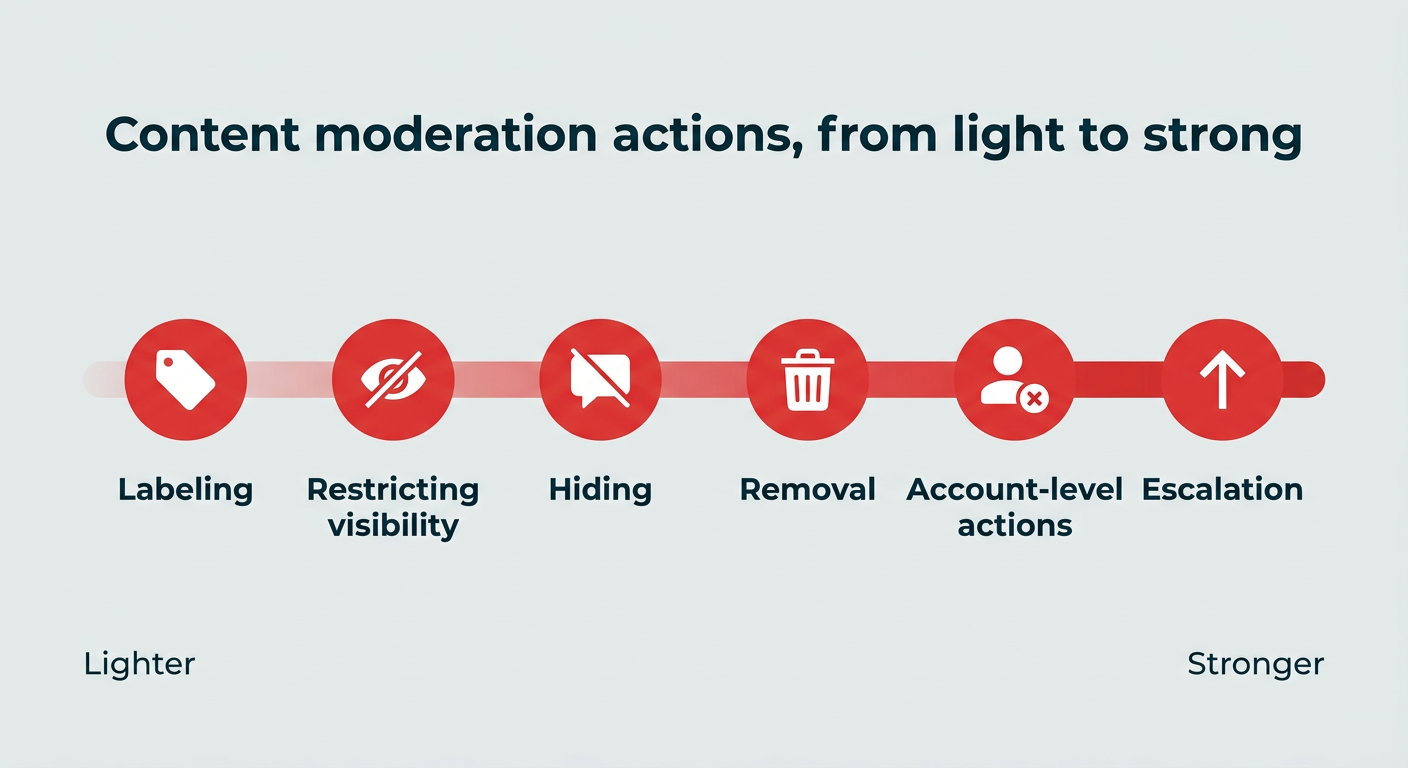
Moderation is a spectrum, not a delete button. When something gets flagged, your team has several options, and choosing the right one matters as much as catching the content in the first place.
The main content moderation actions include:
- Removal: Deleting the content outright. Reserved for clear violations like hate speech, threats, doxxing, or illegal content.
- Hiding: Keeping the comment visible to its author but invisible to everyone else. Useful for spam and low-grade abuse where a deletion might provoke escalation.
- Restricting visibility: Limiting how widely content spreads without removing it, often by turning off replies, disabling sharing, or closing comments on a specific post.
- Labeling: Adding context rather than taking content down, such as sensitive content warnings, fact-check notices, or AI-generated content labels.
- Account-level actions: Muting, restricting, or banning repeat offenders so your team stops re-moderating the same person every week.
- Escalation: Routing the content to customer service, PR, legal, or platform trust and safety teams when it signals a wider problem.
Documenting which action applies to which situation is what keeps decisions consistent when two moderators look at the same comment.
How does AI content moderation work?
AI content moderation works by scanning incoming content against trained models and rules, then either acting on it automatically or flagging it for a human to review. It’s the first line of defense for most brands handling high comment volume.
In practice, AI moderation usually combines a few techniques:
- Natural language processing: Reads text for intent, tone, and sentiment rather than matching keywords alone, which helps catch abuse that dodges obvious filters.
- Image and video recognition: Scans visual content for nudity, violence, gore, or brand misuse before it reaches your audience.
- Pattern and anomaly detection: Identifies spam rings, bot networks, and sudden spikes in negative sentiment that suggest a coordinated attack.
- Classification and routing: Sorts messages by type and urgency so support questions, complaints, and abuse each go where they belong.
Where AI struggles is context. Sarcasm, reclaimed slurs, regional slang, coded language, and in-joke community norms routinely trip up models, which produces both false positives (removing harmless content) and false negatives (missing real harm). New forms of harmful content also appear faster than models can be retrained.
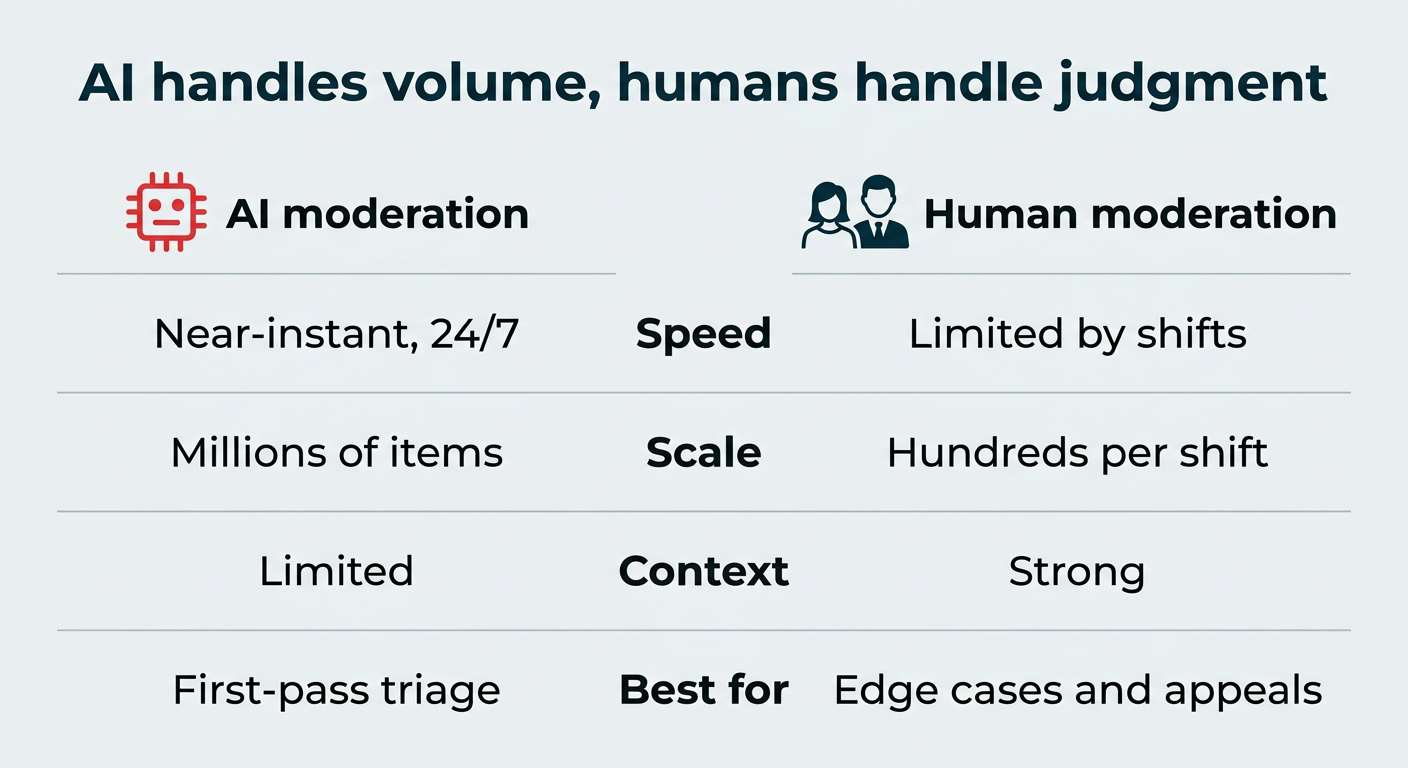
|
Factor |
AI moderation |
Human moderation |
|---|---|---|
|
Speed |
Near-instant, 24/7 |
Limited by staffing and shifts |
|
Scale |
Handles millions of items |
Handles hundreds per shift |
|
Accuracy on obvious violations |
High (profanity, spam, nudity) |
High, but slower |
|
Contextual understanding |
Limited; struggles with sarcasm and intent |
Strong |
|
Cultural and language nuance |
Uneven across languages and regions |
Strong with local moderators |
|
Cost per item reviewed |
Low |
High |
|
Consistency |
Very consistent, but repeats its own errors |
Varies between moderators |
|
Best for |
First-pass filtering and triage |
Edge cases, appeals, and sensitive conversations |
The consensus across platforms and brands is the same: AI handles the volume, humans handle the judgment. Use automation to clear the obvious cases and protect your team from the worst of it, then route anything ambiguous to a person.
Content moderation best practices
Whether your moderators are full-time pros or marketing teammates pulling double duty, a few smart habits can make the job a lot easier.
Here are six best practices for effective social media moderation:
- Set up clear guidelines for moderators
- Respond to all real comments and messages
- Use filters and alerts
- Automate straightforward tasks
- Support your moderation team
- Establish governance and compliance frameworks
1. Set up clear guidelines for moderators
A clear content moderation policy makes the job easier for your team. Without one, every moderator is left to make judgment calls on their own, which can lead to mixed messaging or, worse, accidentally letting harmful content slip through.
A good starting point is your existing social media style guide and social media policy, which already cover how to talk about your brand and products.
From there, your moderation guidelines should also include:
- How moderators should handle rude or abusive messages
- When to pass conversations to another department (like customer service or PR)
- When to escalate to senior staff or legal
Since incoming comments can be the first warning of a social media crisis, your moderation guidelines should also align with your crisis management plan.
2. Answer all real comments and messages
Responding to real comments and messages is one of the most important parts of moderation, but the key word here is real.
Content moderation tools help filter out spam, bots, and noise so your team can focus on engaging with actual people.
Make sure to review your filtered messages regularly so legitimate messages don’t get missed in the cleanup. And if someone’s being rude but their concern is genuine, respond anyway. Keep your tone professional, and remember: how you respond to one person is often watched by hundreds more.
Of course, some people will never be satisfied with your response and are focused on stirring up trouble. In those cases, remember the old saying: don’t feed the trolls. Acknowledge them once if it makes sense, then move on.
3. Use filters and alerts
Filters and alerts are a moderator’s best friend because they catch the worst comments before anyone else has to see them. Most platforms let you build a list of blocked words or phrases, so anything containing them gets hidden automatically.
What you filter depends on your industry. A skateboard brand might allow looser language, while a pharmaceutical company will need much tighter restrictions.
You can also use filters to handle spam, like blocking common scam phrases such as “I’m paying.”

Source: Instagram
Most platforms offer built-in tools to do this, and dedicated moderation tools (more on those below) take it a step further with custom alerts and smarter detection.
4. Automate straightforward tasks
Automating routine tasks frees up your moderators to focus on the conversations that actually need a human touch. Repetitive DMs and common questions can usually be handled with a smart auto-response or a saved reply.
You can set up ultra-basic autoresponses through many social platforms themselves. But a more advanced tool like Nest, the customer care app inside Hootsuite Social OS, can handle that work for you.
With Nest, you can bridge the gap between social media and customer service.
Nest offers automated message routing, customer satisfaction surveys, and AI-powered chatbots that can handle simple questions on their own. Wisdom, the AI layer in Social OS, can also suggest replies and route conversations based on context, so your team spends less time sorting and more time responding.
5. Support your moderation team
Supporting your team is the most important best practice, full stop. Moderating content means seeing some of the worst stuff the internet has to offer, and the toll on moderators’ mental health and well-being is real.
Make wellness a priority. Check in regularly with your moderators, ask what’s working (and what’s not), and create space for them to decompress between tough interactions.
The best moderation programs treat moderators like the skilled, valuable team members they are, not interchangeable cogs.
6. Establish governance and compliance frameworks
For enterprise and regulated brands, moderation decisions need to hold up under scrutiny. That means your moderation workflow should align with internal policy, industry regulation, each platform’s terms of service, and recognized standards like the NIST AI Risk Management Framework.
A workable governance and compliance setup usually covers three things:
- Audit trails: A record of what was removed, hidden, or escalated, by whom, and why.
- Regional compliance: Policies that account for rules like the EU’s Digital Services Act, which sets transparency and appeals obligations for certain platforms and services.
- Permissions and approvals: Clear controls over who can publish, respond, or take moderation action on which accounts.
Vigil, the governance layer in Hootsuite Social OS, helps with the last two by centralizing permissions, approvals, and traceability across accounts and regions. For healthcare, financial services, and other regulated industries, that traceability isn’t a nice-to-have. Sharing protected information or publishing unapproved claims can carry legal and regulatory consequences.
What are the biggest challenges of content moderation?
The hardest parts of content moderation aren’t technical. They’re the trade-offs that come with doing it at scale, across languages, with limited people and imperfect tools.
The most common challenges include:
- Volume and scale: A single campaign can generate more comments in a day than a small team can read in a week, across a dozen platforms with different tools and rules.
- Cultural and language nuance: What reads as playful in one market reads as hostile in another. Automated filters trained mostly on English tend to perform unevenly elsewhere.
- False positives and over-moderation: Aggressive filters hide legitimate questions, product feedback, and praise. Even Meta reports enforcement precision of 87–90% across Facebook and Instagram, meaning a measurable share of removed content was taken down incorrectly. Hiding real customers is its own kind of reputational damage.
- Moderator burnout: Sustained exposure to abusive and graphic content takes a genuine toll, which is why wellness support belongs in the workflow and not in an annual survey.
- Shifting platform rules and regulations: Platform policies and regional regulations change regularly, and workflows built around last year’s rules quietly fall out of compliance. A Pew Research Center survey of 5,123 U.S. adults found declining support for restricting violent and false content online, adding pressure on platforms to revisit their policies.
None of these get solved permanently. They get managed, with clear policies, the right mix of automation and human review, and regular check-ins on what’s slipping through.
What regulations affect content moderation in 2026?
Two things shape the rules most brands have to work within: regional legislation and individual platform policy.
On the legislative side, the EU’s Digital Services Act is the most relevant reference point. It sets obligations around illegal content, notice and action mechanisms, and transparency about moderation decisions for online platforms operating in the EU.
The obligations fall primarily on platforms rather than on brands using them, but they shape the tools, reporting, and appeals processes available to you. The EU’s AI Act also introduces risk-based requirements for AI systems, which will affect how moderation tools are developed and deployed.
On the platform side, Meta, TikTok, LinkedIn, and X each publish their own community standards and moderation policies, and each handles reporting, labeling, and appeals differently. If you operate branded communities or Groups, you’re also responsible for enforcing those standards within your own spaces.
The practical takeaway for marketers is straightforward: moderation workflows need to be documented and auditable. Keep records of moderation decisions, know which regional rules apply to which accounts, and use tools that can show your work if someone asks.
Content moderation tools for brands
The best content moderation tools help your team filter spam, flag harmful content, and keep up with high comment volume without burning out.
Here are four content moderation tools to consider:
- Hootsuite Social OS
- Respondology
- BrandFort
- Smart Moderation
1. Hootsuite Social OS
Hootsuite Social OS is a social operating system with several connected apps that support content moderation: Lumen for listening and insights, Nest for customer care, Wisdom for AI-powered workflows, and Vigil for governance.

Together, they help your team monitor what people are saying about your brand and respond to incoming messages from one connected system.
Lumen
Lumen is the integrated insights and listening app inside Social OS. It helps you spot conversations happening around your brand before they reach your comments section.
Use it to discover trending hashtags, brands, and events anywhere in the world, or dive deeper for personalized insights on your brand.
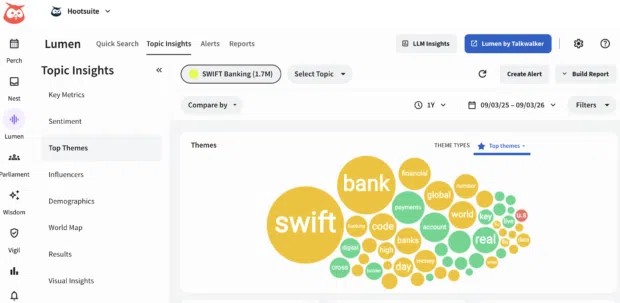
You can also use Lumen to:
- Track key metrics: Are more people talking about you this week? What’s the vibe of their posts? Lumen doesn’t just track what people are saying, it uses sentiment analysis to tell you how they really feel.
- Spot top themes: How are people talking about you? What are the most popular positive and negative posts about? Which other conversations are you showing up in?
- Filter results: Ready to get into specifics? The results view shows you a selection of popular posts related to your search terms, and you can filter by sentiment, channel, and more.
Nest
Nest brings every conversation about your brand into one place: DMs, public comments, mentions, dark comments, and even emoji reactions.
From there, your team can assign messages, track response times, and personalize replies using full interaction history across platforms.
With Nest, you can also:
- Track the history of any individual’s interactions with your brand on social media (across your accounts and platforms), giving your team the context needed to personalize replies
- Add notes to customers’ profiles (Nest integrates with Salesforce and Microsoft Dynamics)
- Handle messages as a team, with intuitive message queues, task assignments, statuses, and filters
- Track response times and CSAT metrics
Wisdom and Vigil
Wisdom adds AI-powered insights and governed workflows on top of all of it, suggesting replies, surfacing patterns in incoming messages, and routing conversations based on context. Vigil handles the governance side, with permissions, approvals, and the traceability regulated teams need.
Hootsuite plans start at $99 per user per month for Standard and $249 per user per month for Advanced, with custom pricing for Enterprise, which includes advanced inbox, review management, and generative AI chatbot features.
Meet the Suite
Understand what matters, decide what to do next, and take action across every social workflow — all from one connected suite.

2. Respondology
Respondology is an AI platform for social comments that offers discreet, automated protection from spam, scams, bots, and abuse, alongside real-time insights and community engagement tools. It’s a strong fit for brands and creators who want a tool focused on trust and safety, not general-purpose social media management.

Source: Respondology
3. BrandFort
BrandFort is an AI-powered moderation tool for Meta platforms like Facebook and Instagram. Its AI is trained to pick up on the real meaning behind a message rather than just flagging surface-level keywords.
When BrandFort spots comments containing hate, spam, profanity, or negative sentiment, it automatically flags and hides them.
With multi-language support, it’s a strong fit for global brands moderating comments across regional accounts and audiences.
BrandFort integrates with Hootsuite.

4. Smart Moderation
Smart Moderation is an AI-powered tool that automatically filters inappropriate content across Facebook, Instagram, and YouTube. It targets abusive language, hate speech, spam, trolling, and bots.
What sets Smart Moderation apart is its machine learning, which gradually learns what’s inappropriate (and what isn’t) for your specific brand. The more you use it, the smarter it gets at flagging content that fits your unique guidelines.
And since it integrates with Hootsuite, you can manage everything from one dashboard.

FAQ: Content moderation
What is content moderation and how do enterprises manage it at scale?
How does AI content moderation compare to human moderation?
What are the best practices for content moderation and brand safety?
What risks do brands face without effective content moderation?
How do companies build a content moderation workflow for social media?
What does a content moderator do?
Will AI replace content moderators?
Is it hard to become a content moderator?
What regulations do brands need to follow for content moderation?
How do you create a content moderation policy?
Save time managing your social media marketing strategy with Hootsuite. Publish and schedule posts, find relevant conversions, measure results, and more â all from one dashboard. Try it free today.
The post Content moderation in 2026: A complete guide for brands appeared first on Social Media Marketing & Management Dashboard.