
Key takeaways
- Social media in education can boost student engagement, connect learners with global resources, and strengthen institutional branding when it’s used strategically.
- Risks like cyberbullying, privacy violations, and mental health impacts mean schools need clear policies alongside any social media use, plus compliance with FERPA, COPPA, and CIPA.
- Educators can use social media in the classroom for active learning, digital literacy development, networking skills, and community building.
- Tracking education-specific benchmarks helps institutions set realistic goals and show what social media is actually delivering.
What is social media in education?
Social media in education is the use of platforms like YouTube, Instagram, TikTok, LinkedIn, Facebook, and X for teaching, learning, and institutional communication. It generally covers two distinct things, and it helps to keep them separate.
The first is social media as a classroom tool: assignments, discussion prompts, livestreamed lectures, digital literacy lessons, and collaboration between students. The second is social media as an institutional channel: recruitment campaigns, campus alerts, alumni relations, and brand building.
Both matter because students are already there. Nine-in-ten U.S. teens say they use YouTube, with majorities also on TikTok and Instagram. Meeting students on the platforms they use daily is usually easier than pulling them somewhere else.
What are the benefits of social media in education?
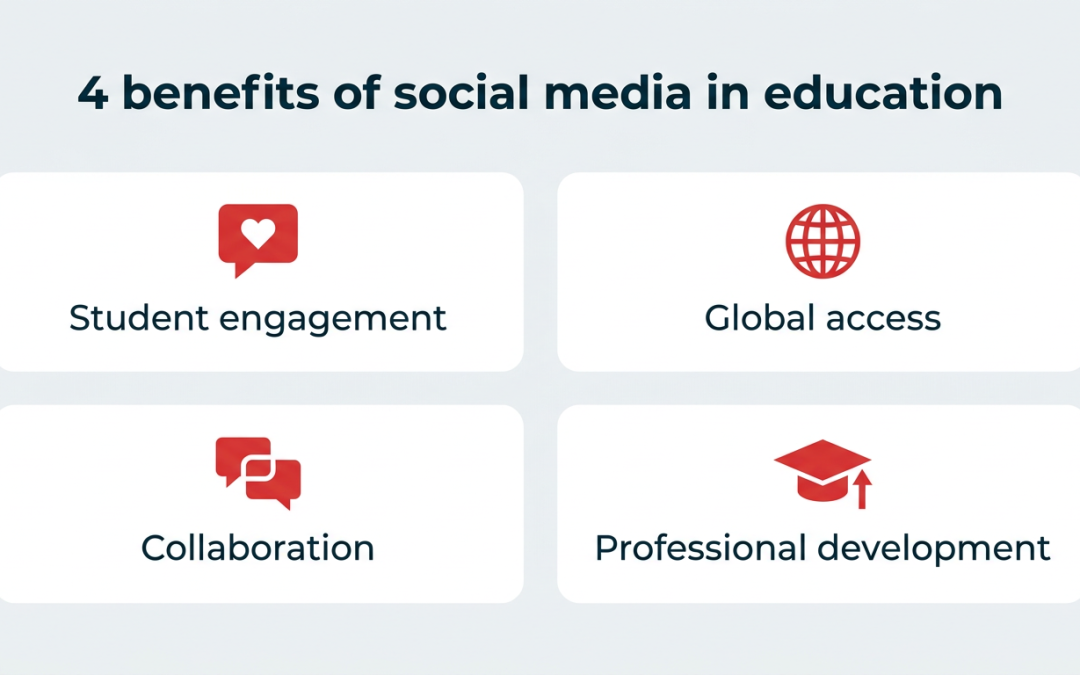
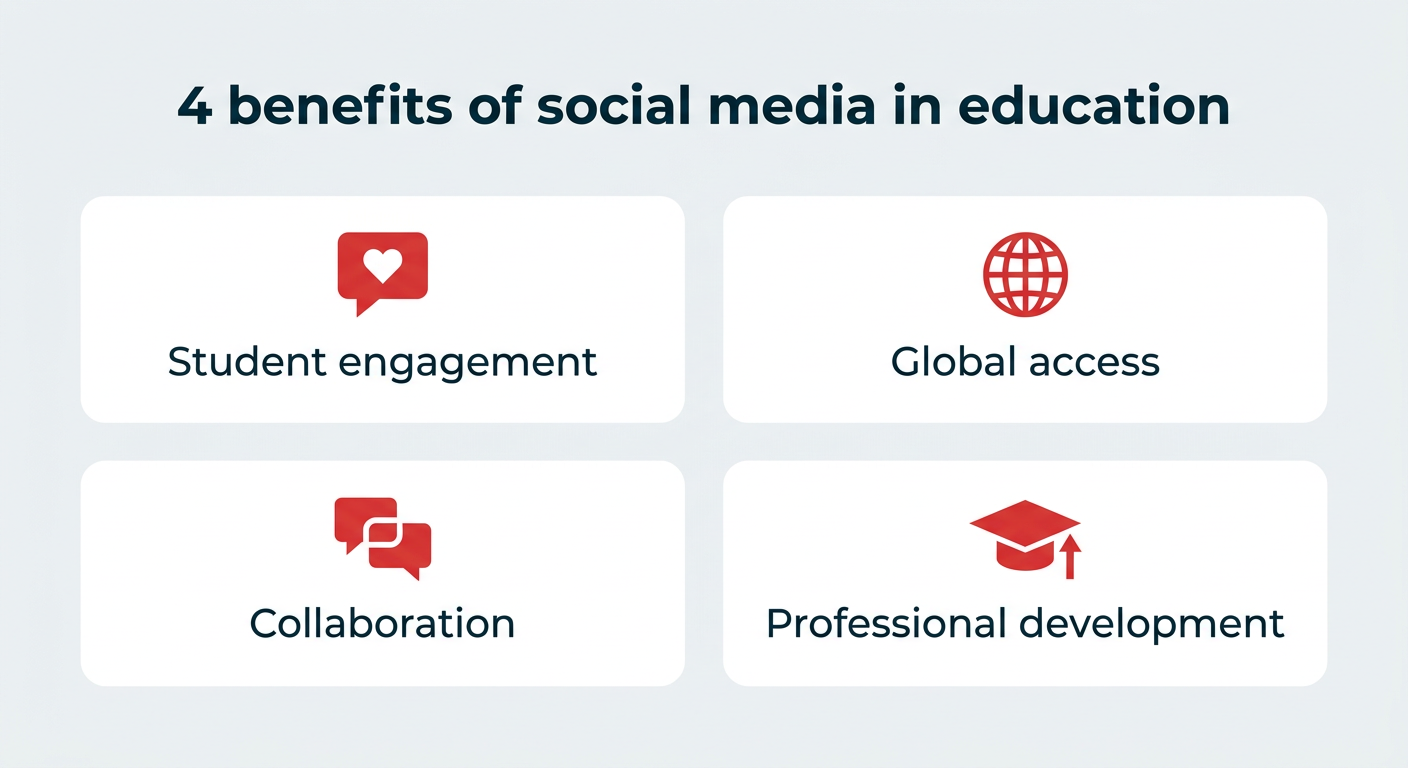
Used well, social media can make classrooms more engaged and institutions more connected. The main benefits:
- Student engagement: Reaching learners on platforms they already use
- Global access: Connecting students with experts and perspectives beyond campus
- Collaboration: Easier communication between students, and between students and teachers
- Professional development: Peer learning communities for educators
How does social media increase student engagement?
Social media increases student engagement by meeting learners on platforms they already use. Normally, when we discuss “engagement,” we’re referring to likes, comments, and shares on a social media post. However, “engagement” can have a double meaning when using social media in education.
Student engagement is key to a successful classroom. When students are engaged, curious, and social in class, it shows that you are succeeding as an educator.
Social media resources can help facilitate and encourage engagement with your students. When teens are spending 1 hour and 18 minutes per day on TikTok alone, bringing those platforms into the classroom helps you meet them where they already are rather than competing for their attention.
How does social media provide access to global resources and expert perspectives?
Social media lets students connect with anyone around the world. One of the best things to come out of social media is this ability, and it has a benefit in the classroom, too, especially for higher education programs.
You can connect students with global resources and experts to help broaden their perspectives. Host an Instagram Live with an expert or have students connect with professionals on LinkedIn to enhance their learning experience.
How does social media improve communication and collaboration?
Social media improves communication because most students are already comfortable using it. It only makes sense to bring that communication method into the classroom.
Social media can be a great way to facilitate conversations around lessons or collaborations for group projects. Think private Facebook Groups or Slack channels. Students can also build their collaborative skills with document-sharing tools like Google Docs. Groups of students can share notes and collaborate during lessons in real time.
It’s not just great for students, either. Social media can help build relationships between teachers and students, making it easier to communicate with students about classroom updates or other discussions.
How does social media support professional development for educators?
Social media supports professional development by giving educators a low-cost way to learn from peers. Inviting, rather than resisting, social media into your classroom can have huge benefits. Use it to promote collaboration, share resources and ideas, and provide real-time feedback.
Teacher communities on LinkedIn, Facebook, and Reddit regularly share lesson plans, classroom management tactics, and engagement methods. It’s a way to learn from peers in other districts and institutions without waiting for a conference.
What are the risks and challenges of social media in education?
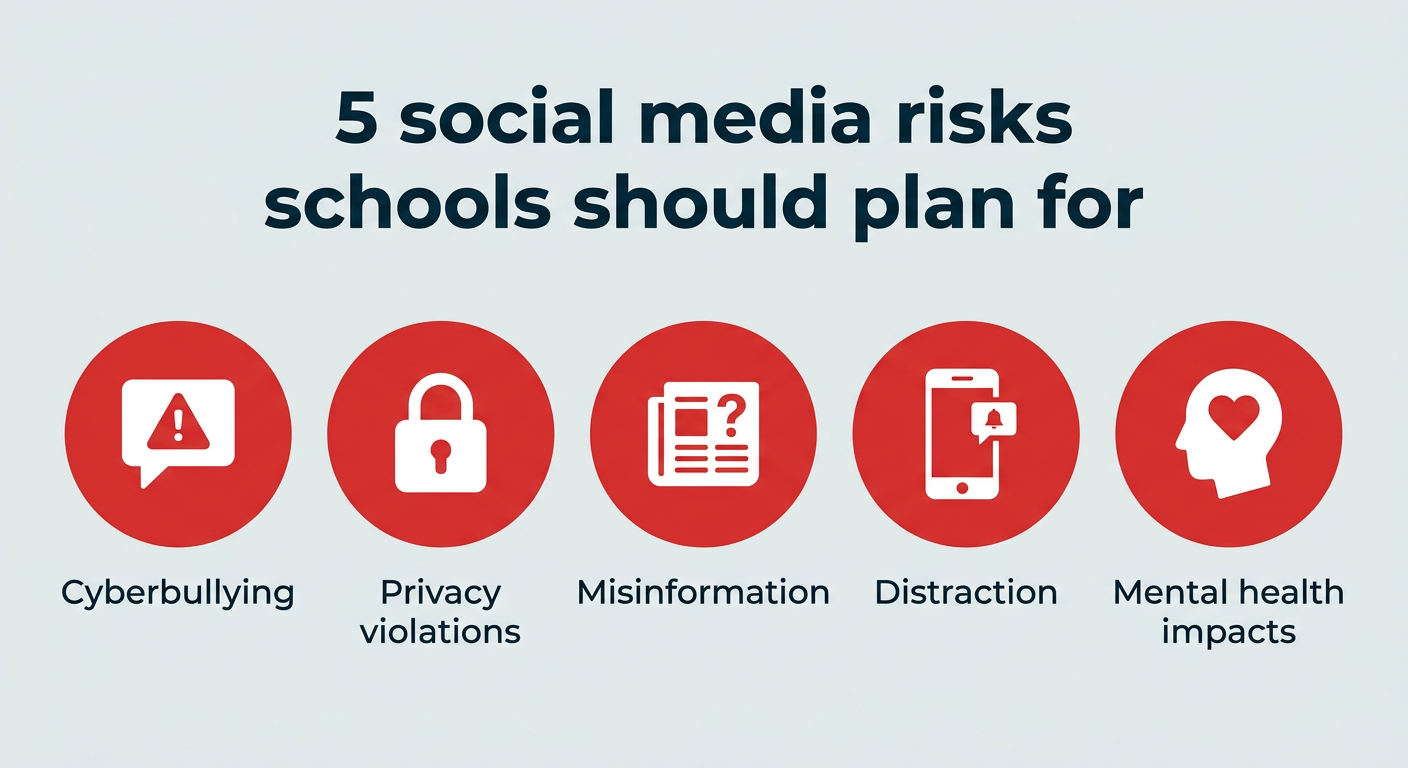
Social media brings real risks into school environments, and most of them are manageable with the right policies. The ones educators and administrators should plan for:
- Cyberbullying: Harassment that follows students home and is harder for staff to see
- Privacy violations: Sharing student names, images, or records without consent can breach federal law
- Misinformation: Students encounter unverified claims faster than they can evaluate them
- Distraction: Phones and feeds compete directly with instruction time, and 45% of teens say they spend too much time on social media
- Mental health impacts: Heavy use is associated with poorer wellbeing outcomes in adolescents
None of these are reasons to avoid social media entirely. They are reasons to pair any use with clear rules and staff training.
How does social media affect student mental health?
Research on social media and student mental health points to a relationship between heavy use and poorer wellbeing, though the evidence on causation is still developing. The U.S. Surgeon General’s advisory on social media and youth mental health concluded that social media “presents a meaningful risk of harm to youth,” and that “we cannot conclude social media is sufficiently safe for children and adolescents.”
The American Psychological Association’s health advisory takes a similar position: “using social media is not inherently beneficial or harmful to young people,” with outcomes depending on the specific content, features, and functions students encounter, as well as their preexisting vulnerabilities and social circumstances.
For educators, the practical takeaway is less about banning platforms and more about teaching students to use them deliberately. That means talking openly about comparison, sleep, and time spent, and giving students language for recognizing when a feed is making them feel worse.
What are the privacy, misinformation, and cyberbullying concerns?
Privacy is the risk with the sharpest legal edge. Posting a student’s name, grades, or identifiable image without the right consent isn’t just poor practice, it can violate federal student privacy law and expose your institution to formal complaints.
Misinformation is a classroom problem more than a legal one. Students encounter unverified claims at speed, often framed as entertainment, which makes digital literacy instruction a practical necessity rather than an add-on.
Cyberbullying is harder to detect than in-person harassment because it happens outside school hours and outside staff view. Schools that handle it well tend to have clear reporting channels and a stated process for what happens next. All three risks get easier to manage once you have a written policy, which is where the next section comes in.
What do schools need to know about social media safety and compliance?
Schools need to know which rules apply before posting anything involving students. In the United States, three federal laws shape most social media decisions in education, and getting them wrong carries real consequences, including investigations, loss of federal funding, and FTC enforcement.
Readers outside the U.S. should check their local equivalents, such as GDPR in the EU and UK or PIPEDA in Canada.
What are the key regulations educators should know?
Here’s how the three main U.S. laws compare.
|
Law |
What it covers |
Who it applies to |
Key requirement for schools |
|---|---|---|---|
|
Privacy of student education records |
Schools receiving U.S. Department of Education funding |
Get written consent before disclosing personally identifiable information from education records, including on social media |
|
|
Online collection of personal data from children under 13 |
Operators of websites and online services directed to children |
Verify parental consent before students under 13 use platforms that collect their data |
|
|
Internet safety and content filtering |
Schools and libraries receiving E-Rate discounts |
Maintain an internet safety policy with filtering for obscene or harmful content, plus student education on appropriate online behavior |
How do you create a social media policy for your school?
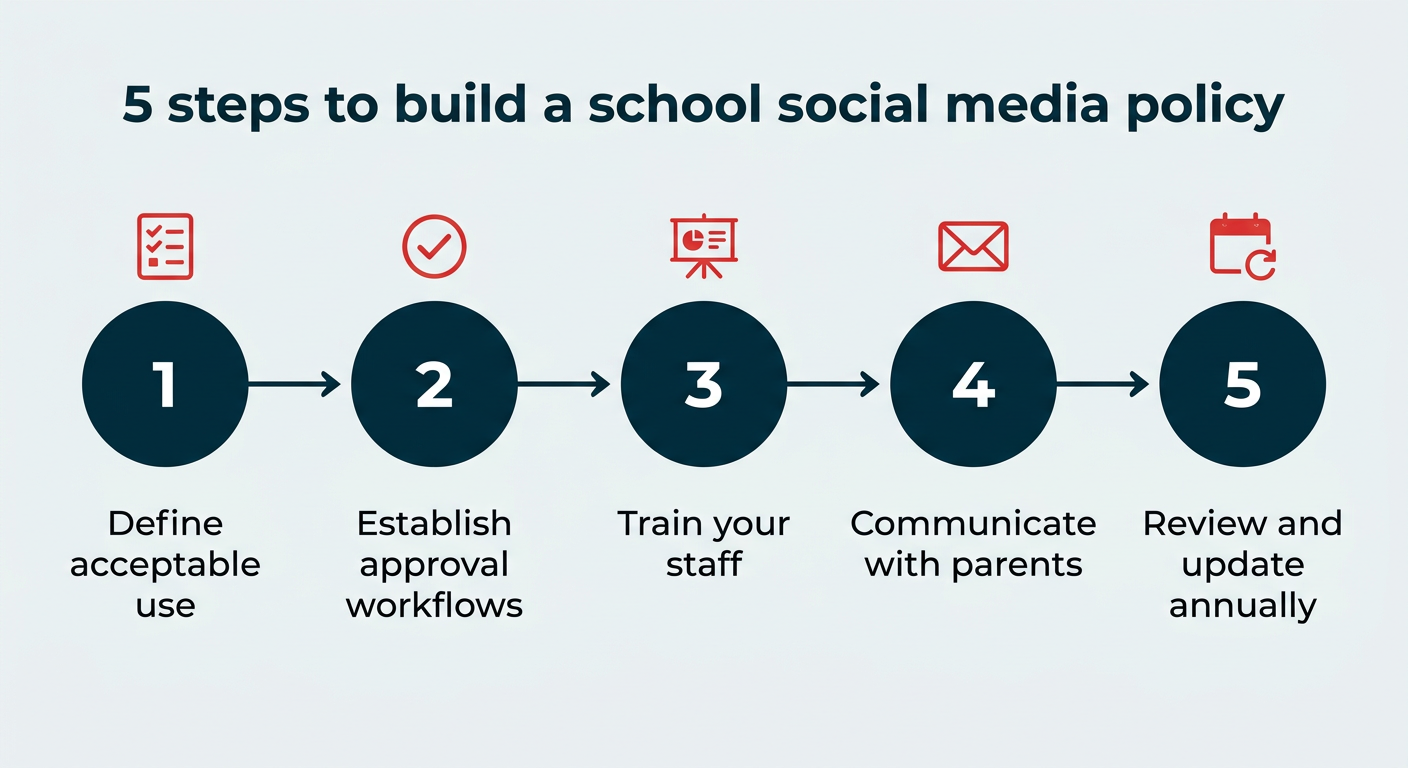
You create a social media policy by turning the rules above into day-to-day guidance. A social media policy is the document that turns all of the above into day-to-day rules staff can actually follow. Five steps to build one:
- Define acceptable use: Spell out what staff, students, and official accounts can and cannot post, including rules on student images, names, and classroom content.
- Establish approval workflows: Decide who reviews and publishes content for official accounts, and who holds account access.
- Train your staff: Walk teachers and communications staff through consent requirements and the platforms they’re approved to use.
- Communicate with parents: Share the policy and your consent process at the start of each year so families know what to expect.
- Review and update annually: Platforms, features, and regulations change. Set a date to revisit the policy rather than waiting for an incident.
If you need more detail on building governance into your workflow, our guide to staying compliant on social media covers the process in depth.
How can you use social media in education?
You can use social media in education in 10 practical ways, once the policy groundwork is in place. Here they are, across the classroom and your institution:
- Attract new students with a campaign
- Build a community
- Broadcast updates and alerts
- Livestream your lectures
- Focus on increasing digital literacy
- Generate user-generated content
- Create opportunities for active and passive learning
- Teach networking and thought leadership skills
- Develop discussion and critical thinking skills
- Celebrate student and alumni achievements
1. Attract new students with a campaign
A great way to use social media for education is to attract new students to your school or course. For example, if you want to increase enrollment, create a social media campaign that highlights the benefits students would gain from your program.
Consider running a campaign to raise awareness of your program a few weeks before it starts. In your campaign, you could:
- Use scarcity and urgency techniques (“50% sold out already!”)
- Offer a discounted rate for early bird sign-ups
- Tease the benefits students will get from the course
MasterClass does a great job promoting its classes by teasing content through Reels. These short videos offer a preview of what students can expect from the full course.

Source: mistyonpointe
This TikTok video from the University of Idaho is another example of how to use social media to attract new students. The video highlights different reasons to attend the school from the perspective of current students, making it relatable to the audience they’re trying to reach.

Source: University of Idaho
2. Build a community
If you lead virtual classes or have alumni around the world, an online community is essential.
Communities can take many forms, too. Private Facebook Pages may be great for class discussion, while public hashtags can amplify important content.
A Facebook Group or Page is a natural fit if you’re focusing on student engagement. Here, folks can discuss the course, post questions and comments, and connect over shared experiences.
This private Facebook Group for incoming freshmen at The University of Texas at Austin is a great example of a private community.

Source: Class of 2028, The University of Texas
You can also turn community-building into a lesson. Have your students create a strategy to build a community-based Facebook group based on their shared interests.
To be successful, they’ll need to figure out a niche or specific problem they can solve. This forces your students to develop their problem-solving skills.
3. Broadcast updates and alerts
Many educational institutions have internal communication software used to share alerts with students. But they’re often notorious for their clunky technology and slow load times. That’s why it’s often much easier for students to check X for real-time updates.
If you post class updates on social media, your students can check in from their devices anytime. Social media is a great way for clubs and instructors to keep their communities informed.

Source: Calgary Linguistics
You can also use social to broadcast to a crowd if you have relevant information for an entire student body or your broader community. Sharing major announcements on social media helps distribute the news to a wider network faster.

Source: Texas State University
4. Livestream your lectures
Trying to reach a broader audience or just make your content more accessible? Consider livestreaming your lectures via platforms like Facebook, Instagram, or YouTube.
Online lectures allow students to access content independently and at their own pace. Some students may have difficulty attending classes. In those cases, online lectures can be a lifesaver. Students can review your lecture as often as needed to fully understand the material.
Livestreaming your lecture also allows you to reach a wider audience. Students from other institutions or countries can watch and learn. This open access will expand the reach of your expertise.
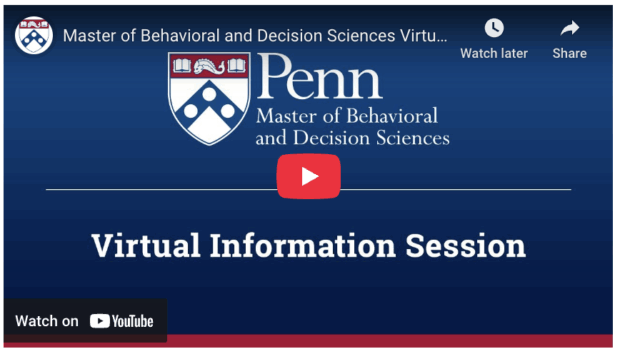
The University of Pennsylvania’s College of Liberal and Professional Studies (Penn LPS) frequently posts virtual information sessions on its YouTube channel.
If you’re able to moderate the chat, it’s also an easy way to engage students. Introverted students may find it easier to type a question instead of speaking in front of a crowd. Plus, you can add captions to your lecture, making it more accessible.
5. Focus on increasing digital literacy
Social media is a powerhouse. You can use it to find a job, build your skills, connect with potential employers, and much more.
But on the flip side, social media doesn’t forget. Once you post something on the internet, people can almost always find it again.
That means digital literacy is more important than ever. Students of all ages must learn how to be responsible and effective while using these tools. It’s also the most direct way to address the misinformation and privacy risks covered earlier, since students who can evaluate a source are far less likely to spread a bad one.
As an educator, you can help your students develop the skills they need to succeed by creating digital literacy workshops and programs. Take this digital literacy program hosted by UT Extension of Henderson County. The organization promotes its digital literacy program for seniors on its Facebook Page.

Source: UT Extension Henderson County
6. Generate user-generated content
User-generated content (UGC) is any content created by regular people, not brands. Your students are likely already generating content. Why not encourage them to post on the topics you’re teaching? You could incentivize participation with a bump in grades or as bonus work.
FYI: You’ll have better results if you give your students parameters. Don’t just say, “Post about class, and you get one get-out-of-homework free card!” Instead, create a relevant hashtag for them to use. Or, say, for bonus points on an assignment, they can post a photo of themselves working on the assignment.
For instance, the Parsons School of Design regularly reposts student work on Instagram. Getting featured in front of Parsons’ audience of 174K followers is a great incentive for students to share their work and tag the school.

Source: Parsons School of Design
As always, ask permission before you repost their content, and be sure the content meets your institution’s privacy and consent requirements. If you’re new to UGC, here are some best practices.
7. Create opportunities for active and passive learning
As an educator, you probably use a mix of active and passive learning.
Active learning requires students to actively engage with the lesson. This may be through discussions, challenges, or debates. You can even task your students with creating a photo or video essay hosted on a social media platform. Instagram is great for photo essays, while YouTube or TikTok work for video essays.
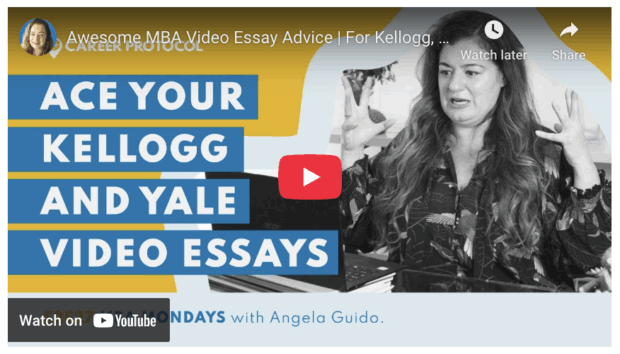
Passive learning requires learners to listen to lessons and absorb the information. Then, they must consider or translate the information. In classrooms, this might look like lectures and note-taking.
Social media poses an opportunity for both active and passive learning. For example, you could lecture your students on the dangers of misinformation on X. Then, task them to find a misinformed post and present their fact-checking process. Students will learn to examine data and provide evidence supporting their findings.
The combination of active and passive learning allows students to absorb information and then engage with what they’ve learned.
8. Teach networking and thought leadership skills
The working world is becoming more globalized and competitive every day. So, teaching students to develop networking and thought-leadership skills is essential.
By creating a LinkedIn profile and connecting with other professionals, students can:
- Learn how to build and nurture relationships
- Identify potential mentors
- Develop a personal brand
One way to do this is by sharing workshops on social media. Workshops offer a valuable opportunity for students to network, learn new skills, and form an opinion on a subject.

Source: Dougherty Arts Center
Schools and educators can also use LinkedIn to show thought leadership in action. Your students, teachers, and departments can share resources, request feedback, and post relevant articles and videos.

Source: University of Southern California
As students become more comfortable using LinkedIn, they can start exploring. Encourage them to follow other thought leaders and join conversations.
9. Develop discussion and critical thinking skills
Is your lesson goal to promote critical thinking? Then you might have students post their responses to weekly discussion prompts on X.
The limited character count will force students to be concise. They’ll have to identify their argument and communicate it without wasting words.
A few other formats worth trying:
- Threaded debates: Assign two students opposing positions on a topic and have them argue it out in a reply thread on Threads or X. The public format pushes them to anticipate counterarguments.
- Reddit AMA analysis: Have students find an AMA with an expert in your subject area and evaluate which questions produced useful answers and why.
- Comment section teardown: Pick a widely shared post on a topic you’re covering, then have students categorize the replies by argument type, evidence quality, and logical fallacy.
Here’s a classroom exercise that works across subjects: give every student the same news story, then have them find three social posts about it with different framings. In a short write-up, they identify what each post emphasizes, what it leaves out, and which version they’d trust. It takes one class period and teaches source evaluation better than most lectures on the topic.
10. Celebrate student and alumni achievements
If you work in higher education, alumni relations are key to your social media strategy.
One way to engage both current and former students is to keep up with their achievements and post-graduate lives. You can do this by showcasing student news on your social media channels.
Not only does this reengage alumni and spark pride in current students, but it highlights your school’s impressive feats to the greater community.

Source: Texas State University
What are the social media benchmarks for education in 2026?
Social media benchmarks for education show what “good” looks like in your sector, which makes goal-setting far easier. The figures below come from Hootsuite’s education-specific benchmark research, most recently updated for 2026.
How often should educational institutions post on social media?
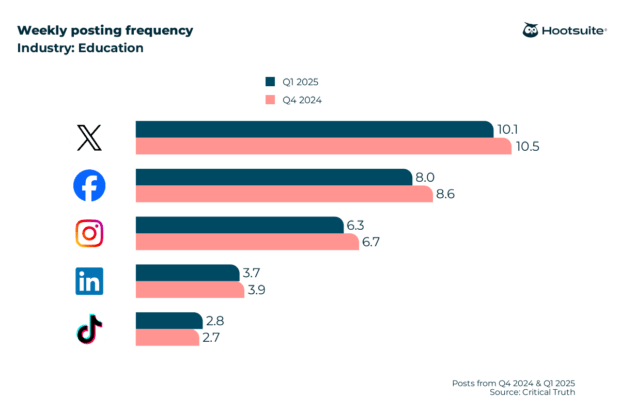
Every educational institution’s ideal posting schedule is unique, and you should test different posting frequencies to find out what works best for your audience. That said, these industry-specific stats will help you find a data-informed starting point.
Our research found that educational institutions post on X more often than on other social platforms, an average of 10 times a week.
What are the average engagement rates in education?
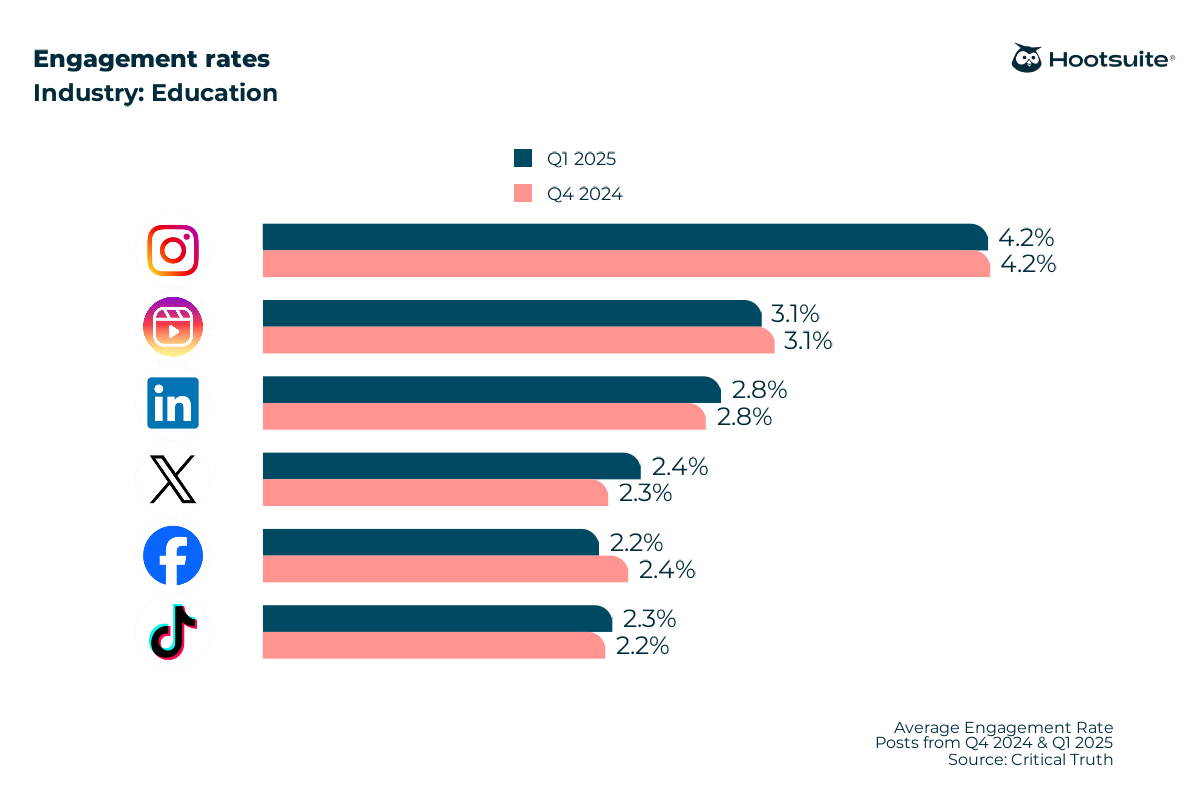
Wondering if your engagement rates are high enough? Here are the industry averages across all major social networks:
- Instagram: 4.2%
- Instagram Reels: 3.1%
- LinkedIn: 2.8%
- X: 2.4%
- TikTok: 2.3%
- Facebook: 2.19%
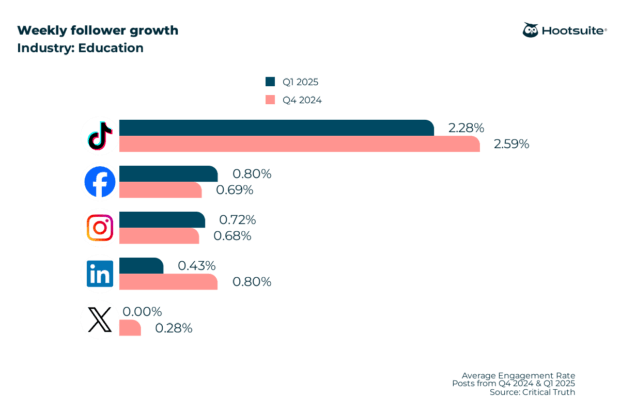
What is the follower growth rate in the education sector?
If your social media strategy revolves around growing your audience, make sure you’re setting realistic goals.
On TikTok, educational institutions saw 2.28% weekly follower growth, the strongest of any platform in our research.
For more education-specific research, including the best times to post, the most engaging content formats, and network-specific breakdowns of the stats above, check out our dedicated post on social media benchmarks for education.
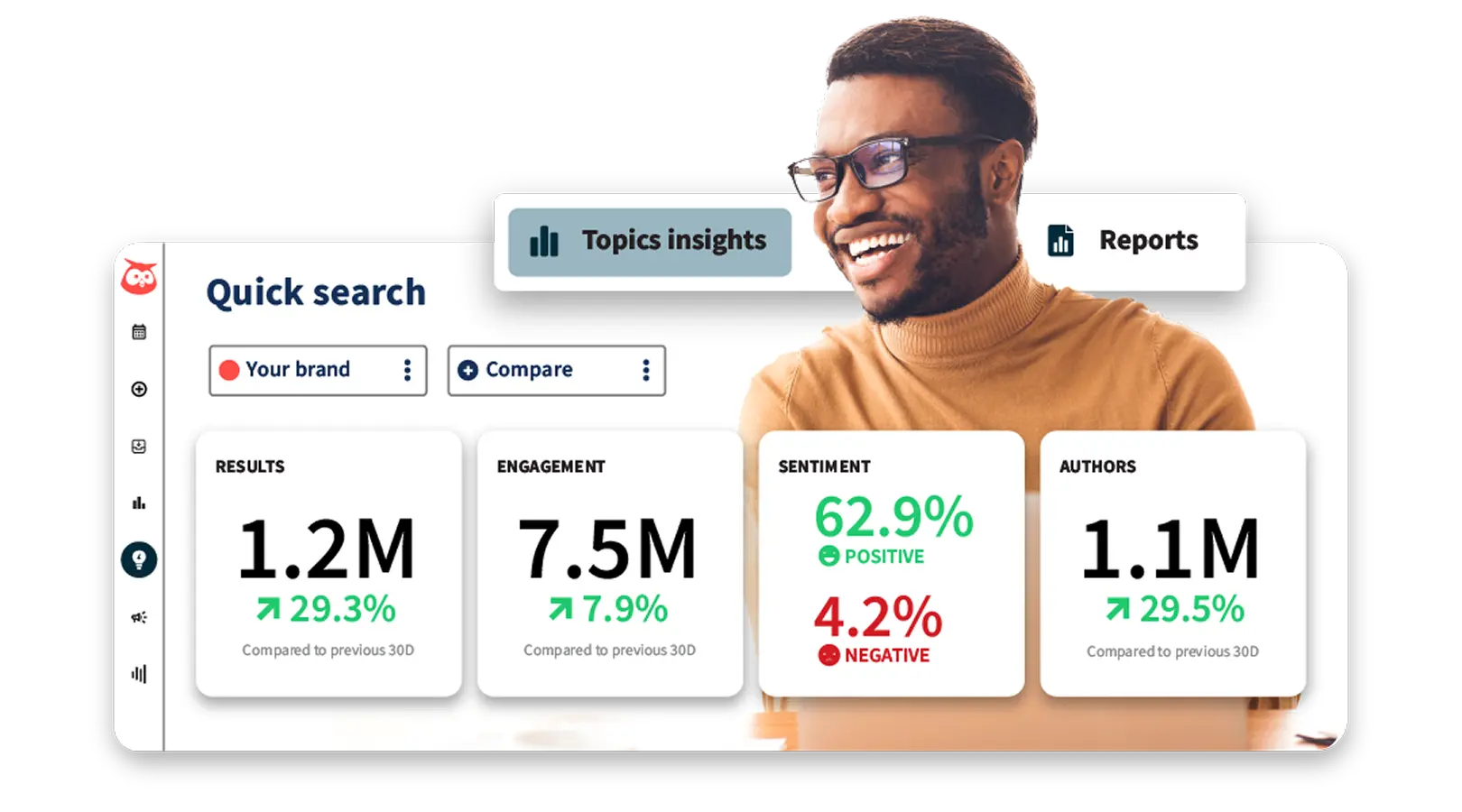
Book a risk-free demo to see for yourself how Hootsuite helps universities
See how Hootsuite helps colleges and universities connect, engage, and grow with confidence. Book a demo today and unlock the full power of Hootsuite for your institution.
How does Hootsuite Social OS help educators manage social media?
Hootsuite Social OS helps educators manage social media by bringing publishing, listening, and analytics into one place. Managing a school’s social presence usually means juggling multiple accounts, multiple departments, and a review process that can’t be skipped. Your team can coordinate instead of chasing approvals over email. And with Hootsuite’s Student Program, qualified educators at accredited higher education institutions can access free Hootsuite Academy courseware and certifications for their classes.
Educators and administrators, here are four areas that deserve your attention.
How does content planning and publishing work?
Scheduling all of your social posts in advance can help you save major time. If you’ve got a lot on your plate, as most educators do, this can be a huge help.
The calendar view makes it easy to see each post you’ve scheduled across every platform. You can filter posts by account, drag and drop upcoming posts to new times or days, or duplicate recurring content from one dashboard.
For institutions that need oversight, governed workflows let you route posts to the right reviewer before anything goes live. That matters when student privacy is involved.
How does social listening and intelligence work with Lumen?
Lumen is the integrated insights and listening app inside Hootsuite Social OS. It helps you analyze online conversations as they happen, so you’re not finding out about a campus issue from a parent email.
With real-time listening, you can track what people are saying about your institution, your programs, and the schools you compete with for enrollment.
Lumen’s capabilities include:
- Mentions tracking: See where and how often your institution is being discussed across platforms.
- Sentiment analysis: Understand not just what people are saying, but how they feel about it.
- Trend detection: Spot emerging conversations and topics before they peak.
- Conversation clusters: Group related discussions to see which themes drive the most attention.
Listening tools are especially useful for spotting activity peaks in conversations about your accounts. That can help you figure out the best times for you to post on social media.
How do analytics and reporting help educators?
Analytics and reporting help educators review their work and make adjustments based on their findings. If you’re serious about using social, you’ll want to make time for this.
Hootsuite’s analytics can help you dig into the numbers and show you what’s working and what’s not with your social strategy.
But analytics can also be a valuable teaching tool.
Understanding data analytics is a huge advantage, especially in our tech-forward age. Learning how to translate insight into action is a huge win. Students who understand how to interpret data are more employable, period.
What training and courses does Hootsuite Academy offer?
Hootsuite Academy offers on-demand video training to help you build your skills and engage with your audience. Want to take your social marketing to the next level? Hootsuite Academy is a good place to start. If you’re planning to teach with social media, these courses are a must-have.
Learn all the ways Hootsuite can help educational institutions improve their social efforts.
FAQ: Social media in education
How can social media help students in their studies?
What are the benefits of social media in education?
What are the risks of social media in education?
How can teachers use social media in the classroom?
What is a social media policy for schools?
What laws apply to social media use in schools?
How often should schools post on social media?
What social media platforms are best for education?
How can schools measure social media ROI?
What are the 7 C’s of social media?
Save time managing your social media marketing strategy with Hootsuite. Publish and schedule posts, find relevant conversions, measure results, and more â all from one dashboard. Try it free today.
The post Social media in education: 10 tips and benefits for 2026 appeared first on Social Media Marketing & Management Dashboard.