

Key takeaways
- Social media automation uses software to handle repetitive tasks like scheduling, reporting, listening, and responding to messages, so teams can focus on strategy and creative work.
- The best social media automation tools in 2026 combine AI-powered content creation with publishing, analytics, and social listening in one connected system.
- Automation works best when it handles high-volume, predictable tasks while humans stay in charge of strategy, creativity, and sensitive conversations.
- Enterprise teams can scale automation with governance tools, approval workflows, and multi-brand management to maintain consistency across regions.
What is social media automation?
Social media automation means using tools or software to take care of routine social media tasks. This can include scheduling posts, creating reports, replying to messages, or tracking hashtags, all without having to log in to each platform separately.
For businesses, automation means getting more done in less time. Instead of juggling endless tasks, you can schedule posts, pull reports, and free up hours each week to focus more on your social media strategy.
But not everything counts as automation. Here’s what to know:
- It’s more than just scheduling: Social media scheduling is just one part of automation. Today’s tools also help with content creation, analytics, and social listening.
- It’s most effective when it’s not spammy: Automation doesn’t mean fake likes or auto-comments. Those hurt your social media presence and break platform rules.
- It works best as a partnership: AI-powered tools can help you repurpose posts or draft captions, but a human still reviews the output to keep your brand voice authentic.
What is the difference between scheduling and social media automation?
Scheduling is one piece of social media automation, not the whole thing. Scheduling handles the question of when a post goes live. Automation covers a much wider set of tasks across the full workflow, from drafting content to routing approvals to surfacing insights.
It’s a common mix-up, and it matters when you’re evaluating tools. A scheduling-only tool will save you a few hours a week. A full automation system changes how your team operates.
- Scheduling covers: Queuing posts, setting publish times, and previewing your calendar across platforms.
- Automation covers: All of the above, plus AI-assisted content creation, automated reporting, social listening alerts, DM and comment responses, approval routing, and alerts when something needs your attention.
Put simply: scheduling moves posts out the door. Automation runs the system around them.
What can you automate on social media?
You can automate many (but not all) tedious social media marketing tasks. The key is knowing which categories of work lend themselves to automation and which still need a human touch. Here’s how it breaks down.

How can you automate content creation and curation?
AI tools can draft captions, suggest hashtags, generate video scripts, and repurpose long-form content into social-ready posts. You can also set up RSS feeds to automatically surface relevant articles for sharing.
One blog post, for example, can become a LinkedIn carousel, a short-form video script, and a handful of platform-specific captions in a single pass. The creative direction still needs to come from you, but automation handles the heavy lifting.
How can you automate scheduling, reporting, and monitoring?
This is where most teams start. Automation tools let you queue posts across platforms, pull real-time analytics into dashboards, and set up alerts for brand mentions or trending keywords. Instead of logging into five platforms every morning, you check one dashboard.
How can you automate engagement and customer service?
Chatbots, DM automation, saved replies, and comment management tools help you respond to your audience faster. Gartner predicts 60% of brands will use agentic AI for one-to-one interactions by 2028. Routine questions get answered instantly, while more complex conversations get routed to the right person on your team.
The tooling here has advanced beyond simple keyword-triggered bots. AI-powered customer care can now read sentiment and urgency to decide what needs a human, and agentic AI can carry out multi-step interactions like checking an order status before replying. The judgment calls, especially the sensitive ones, still belong with your team.
Other tasks you can automate include:
- Ad campaign management and budget adjustments
- Team workflows and approval processes
- Notifications and alerts for mentions
- Lead capture through automated DMs or forms
What are the benefits of social media automation?
Social media automation makes managing your accounts easier and saves your brain for more strategic thinking. The payoff tends to land in three areas.
Efficiency and consistency
- Save time: Automations streamline everyday tasks like posting, reporting, and replying to FAQs so you can focus on bigger goals.
- Keep everything in one place: Manage all your social channels from a single dashboard to simplify your workflow.
- Build consistency: Keep your posting schedule steady, even when you’re away or your team is busy.
- Improve engagement: Reply to comments and messages faster, making your audience feel heard and valued.
Performance and insights
- Deliver better insights: Pull real-time data on reach, clicks, and engagement without manual tracking.
- Spot trends early: Track mentions, hashtags, and keywords so you can see what people are talking about before it peaks.
- Show results clearly: Connect social activity to traffic and conversions, helping you prove what’s working.
Governance and compliance
- Maintain governance at scale: For enterprise teams, automation tools with approval workflows and role-based permissions help maintain brand consistency across regions and business units.
- Support compliance: Automated approval chains and content libraries reduce the risk of off-brand or non-compliant posts going live, which is especially important in regulated industries.

How do you get started with social media automation?
Getting started with social media automation doesn’t have to be overwhelming. The trick is to begin with the tasks that eat up the most time and layer in more advanced features as your team gets comfortable.
Here’s a quick overview of the process:
- Choose the right automation tool for your team
- Connect your social media accounts and set up workflows
- Start small and scale gradually
Let’s break each step down.

How do you choose the right automation tool for your team?
Not every tool fits every team. Before committing, consider your team size, budget, the platforms you use most, and the features you actually need. A solo creator scheduling Instagram posts has very different requirements than an enterprise team managing 50 accounts across regions.
As you compare social media automation tools, weigh these criteria:
- Platform coverage: Does it support every network you publish on today, plus the ones you’re testing?
- AI capabilities: Can it draft, repurpose, and surface insights, or is AI limited to a caption generator?
- Governance and compliance: Look for approval workflows, role-based permissions, and audit trails if you operate in a regulated industry.
- Integrations: Check whether it connects to your CRM, BI tools, and the AI assistants your team already uses.
- Scalability and pricing model: Per-user, per-channel, and custom enterprise pricing scale very differently as your team grows.
Look for a platform that covers your core needs (scheduling, analytics, inbox management) and can grow with you. Try Hootsuite free — it scales from individual plans to enterprise deployments with governance and compliance features built in.
How do you connect your accounts and set up workflows?
Once you’ve picked a tool, link your social media platforms so you can manage everything from one place. Then decide which tasks to automate first: publishing, reporting, monitoring, customer service, or all of the above.
Upload your content, set your publishing cadence, and configure any alerts or notification rules. Most tools walk you through this setup in minutes.
How do you start small and scale gradually?
You don’t need to automate everything on day one. Start with scheduling and reporting, since those deliver the most immediate time savings. Once those workflows are running smoothly, layer in AI content creation, DM automation, and social listening.
Review your results regularly and adjust. Track the hours your team gets back and the change in response times and engagement, so you can point to a clear return before you expand. The goal is to build a system you trust before scaling it.
What are the best social media automation tools in 2026?
The best social media automation tools help you save time, stay consistent, and get better results. Here’s how the top social media management tools compare for businesses in 2026.
How do social media automation tools compare?
| Tool | Best for | Key automation features | Starting price | Platforms supported |
|---|---|---|---|---|
| Hootsuite | Medium-to-large teams and enterprises | AI content creation with Wisdom, best time to post, analytics, DM automation, Lumen listening, approval workflows | $99/user/month | Instagram, Facebook, LinkedIn, TikTok, X, Pinterest, YouTube, Threads |
| Sprout Social | Large teams that need defensible analytics | Publishing, reporting, unified inbox, listening add-on | $199/seat/month (Standard, billed annually; Essentials starts at $79/seat/month) | Instagram, Facebook, LinkedIn, TikTok, X, Pinterest, YouTube, Threads |
| Buffer | Small teams and solo creators | Scheduling, basic analytics, link-in-bio tool, AI assistant | $6/month per channel | Instagram, Facebook, LinkedIn, TikTok, X, Pinterest, Threads, Bluesky, YouTube |
| Agorapulse | Mid-market teams focused on inbox management | Unified social inbox, scheduling, reporting, social listening | $79/user/month (billed annually) | Instagram, Facebook, LinkedIn, TikTok, X, YouTube, Google Business |
| Later | Creators focused on Instagram and TikTok | Visual content calendar, auto-publish, hashtag suggestions | $25/month | Instagram, Facebook, LinkedIn, TikTok, Pinterest, YouTube |
Now let’s look at each tool in more detail.
1. Hootsuite
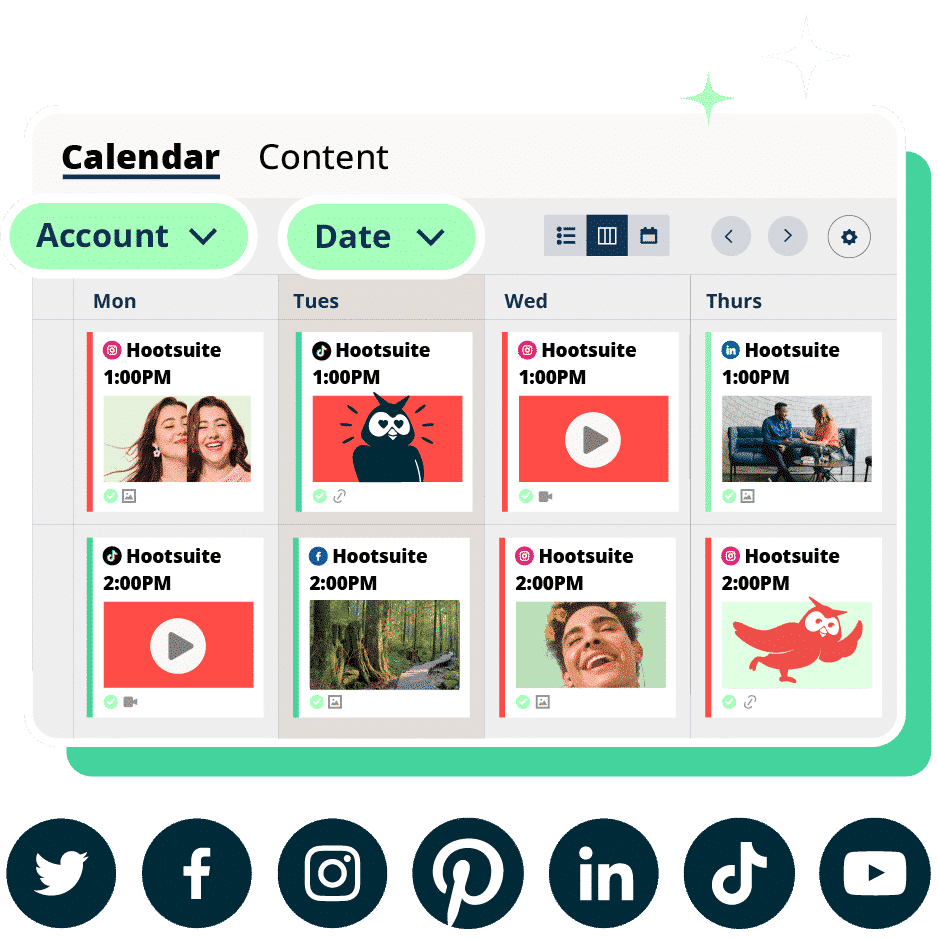
Hootsuite Social OS is a social operating system that helps you plan, post, and track content across all your social media accounts in one place. It handles the busy work, like finding the best time to post, creating reports, and surfacing what’s working, so you can focus on strategy and results.
- Best for: Medium-to-large teams, social media marketers, and content creators.
- Coolest feature: Wisdom, the AI layer that drafts and repurposes content, surfaces trends, and answers questions using your live social data.
- Price: Free 30-day trial, then Standard at $99/user/month, with higher-tier Advanced plans and custom pricing for Enterprise.
- Skill level: Beginner to advanced.
Key automation features include:
- Wisdom: Draft captions, repurpose your top posts, and brainstorm new ideas with AI-powered insights.
- Perch: Plan, create, and publish content across every connected network.
- Best time to publish: Automatically schedule posts for when your audience is most active.
- Lumen: Track brand mentions, sentiment, and emerging trends across social and the wider web.
- Nest: See and reply to all your DMs and comments in one place, with saved replies ready to go.
- DM automation: Turn Instagram comments into conversations and conversions with personalized messages.
Listening sits inside the same system, so if you need to monitor brand sentiment, catch a potential PR issue early, or find the influencers driving a conversation, you can act on it without switching tools. Lumen by Talkwalker is also available as a standalone option for teams with deeper research needs.
Put simply: Hootsuite is built to save teams hours each week by cutting down on repetitive tasks, while giving you the insights to grow your brand faster.
2. Sprout Social
Sprout Social is a social media management platform known for its reporting depth. Teams that need presentation-ready analytics for executive stakeholders tend to gravitate toward it, and its publishing and inbox tools cover the standard workflow well.
- Best for: Large teams that need defensible analytics.
- Coolest feature: Customizable reports built for stakeholder presentations.
- Price: Starting at $79/seat/month for Essentials (billed annually); Standard plan is $199/seat/month billed annually.
- Skill level: Intermediate to advanced.
Key automation features include:
- Publishing and scheduling: Queue content across networks with an optimal send times feature.
- Unified inbox: Manage messages and comments from connected profiles in one view.
- Reporting: Generate scheduled reports on engagement, reach, and team performance.
- Listening: Available as a paid add-on rather than a standard inclusion.
Sprout Social is a capable choice for reporting-heavy teams. The tradeoff is cost and structure: listening is priced separately, and per-seat pricing adds up quickly for teams that want intelligence and execution connected in one system.
3. Buffer
Buffer is a straightforward social media management tool built for simplicity. It covers the basics well: scheduling, analytics, and a link-in-bio tool. Its AI assistant can help draft posts, and the clean interface makes it easy to learn quickly.
- Best for: Solo creators and small teams on a budget.
- Coolest feature: Clean, minimal interface that’s easy to pick up on day one.
- Price: Free plan available, paid plans starting at $6/month per channel.
- Skill level: Beginner.
Key automation features include:
- Queue-based scheduling: Set a posting schedule and drop content into your queue.
- AI assistant: Generate post ideas and repurpose content.
- Basic analytics: Track post performance across connected channels.
Buffer is a solid entry point for teams just getting started with automation. However, it lacks enterprise features like approval workflows, advanced social listening, DM automation, and cross-platform reporting that larger teams need.
4. Agorapulse
Agorapulse positions itself as a social media management tool with a strong focus on inbox management. Its unified social inbox pulls comments, messages, and mentions from all connected platforms into one view, making it easier to stay on top of conversations.
- Best for: Mid-market teams that prioritize community management.
- Coolest feature: Unified social inbox with automated moderation rules.
- Price: Starting at $79/user/month (billed annually)
- Skill level: Beginner to intermediate.
Key automation features include:
- Unified inbox: Manage all messages, comments, and mentions from one place.
- Automated moderation: Set rules to hide spam or route specific messages to team members.
- Scheduling and publishing: Queue content across multiple platforms with a visual calendar.
- Reporting: Generate branded reports showing engagement, reach, and growth metrics.
Agorapulse works well for teams focused on customer engagement and community building. However, its AI capabilities and social listening features are less advanced compared to enterprise-grade platforms like Hootsuite.
5. Later
Later is a visual-first scheduling tool designed primarily for Instagram and TikTok content creators. It focuses on making it easy to plan and preview your feed aesthetically before posts go live.
- Best for: Visual content creators and small businesses focused on Instagram.
- Coolest feature: Visual drag-and-drop content calendar that shows how your feed will look.
- Price: Free plan available, paid plans starting at $25/month.
- Skill level: Beginner.
Key automation features include:
- Auto-publish: Schedule and automatically publish posts to Instagram, Facebook, TikTok, and more.
- Hashtag suggestions: Get recommended hashtags based on your content and industry.
- Link in bio tool: Create a clickable landing page for Instagram bio links.
- Basic analytics: Track follower growth, engagement, and best posting times.
Later is best suited for creators and small businesses who prioritize visual planning. It lacks the advanced automation, team collaboration, and enterprise governance features that larger organizations require.
What are the risks of social media automation?
Now that you’ve seen what automation can do and which tools can do it, it’s worth naming the tradeoffs. Relying on automation too heavily, and losing the human touch, can get you in trouble.
Here are a few things you should keep in mind to avoid disengaging your audience:
- Loss of authenticity: Automated posts or replies can sound robotic and damage trust if not reviewed.
- Spammy content: Too many scheduled posts (or the same post everywhere) can come off as spammy.
- Inaccuracies: AI tools do hallucinate. If you’re not reviewing what they create, you may end up publishing social media content that’s off-brand or out of context.
- Poor timing: A scheduled post that goes live during a sensitive moment can make your brand look out of touch. Think of a cheerful promotional post publishing right as a major crisis dominates the news cycle. Always have a process for pausing your queue when the unexpected happens.
- Platform policy violations: Aggressive automation tactics like auto-following, bulk liking, or using unauthorized third-party bots can violate platform terms of service and result in account suspension.
- AI without governance: The more work AI handles, the more you need permissions, approval chains, and audit trails around it. Without those guardrails, unreviewed AI output can reach your audience before anyone on your team sees it.
- Data privacy and compliance risks: For teams in regulated industries, automated workflows that collect or share customer data without proper controls can create serious legal exposure. Make sure your automation tools support the compliance standards your organization requires.

FAQ: Social media automation
What is the difference between social media automation and scheduling?
Can social media automation hurt my engagement rates?
How much time can automation save my marketing team?
What social media tasks should never be automated?
How do I maintain brand voice when using AI content tools?
What compliance features should enterprise teams look for in automation tools?
Can small businesses benefit from social media automation, or is it only for enterprises?
What is the 5-3-1 rule for social media?
Can ChatGPT automate social media posts?
How much does social media automation cost?
Save time managing your social media marketing strategy with Hootsuite. Publish and schedule posts, find relevant conversions, measure results, and more â all from one dashboard. Try it free today.
The post Social media automation in 2026: Tools and how to start appeared first on Social Media Marketing & Management Dashboard.