
Key takeaways
- Social media scheduling tools let you plan, create, and publish posts across every platform from one dashboard, keeping your content consistent without manual posting.
- When choosing a tool, prioritize multi-platform publishing, approval workflows, analytics, and AI-assisted content creation that match your team’s size and structure.
- AI is reshaping scheduling in 2026. Tools like Perch by Hootsuite use AI to recommend posting times, draft content, and connect publishing to performance data.
- Free native schedulers like Meta Business Suite handle the basics, but teams managing multiple platforms or brands need a third-party tool for cross-channel control and reporting.
What are social media scheduling tools?
Social media scheduling tools are software platforms that help you plan and automate your social media posts.
Instead of posting in real-time, these tools let you create and schedule content for automatic publication at the optimal time. They save time and help you stay consistent with your social media strategy.
Most social media platforms have some basic native scheduling and auto-publishing options. However, third-party social media scheduling software provides greater flexibility, functionality, and the ability to schedule content for multiple social media channels from one dashboard. Many of these platforms double as full social media management tools, adding analytics, inbox, and collaboration features on top of publishing.
Who should use a social media scheduling tool?
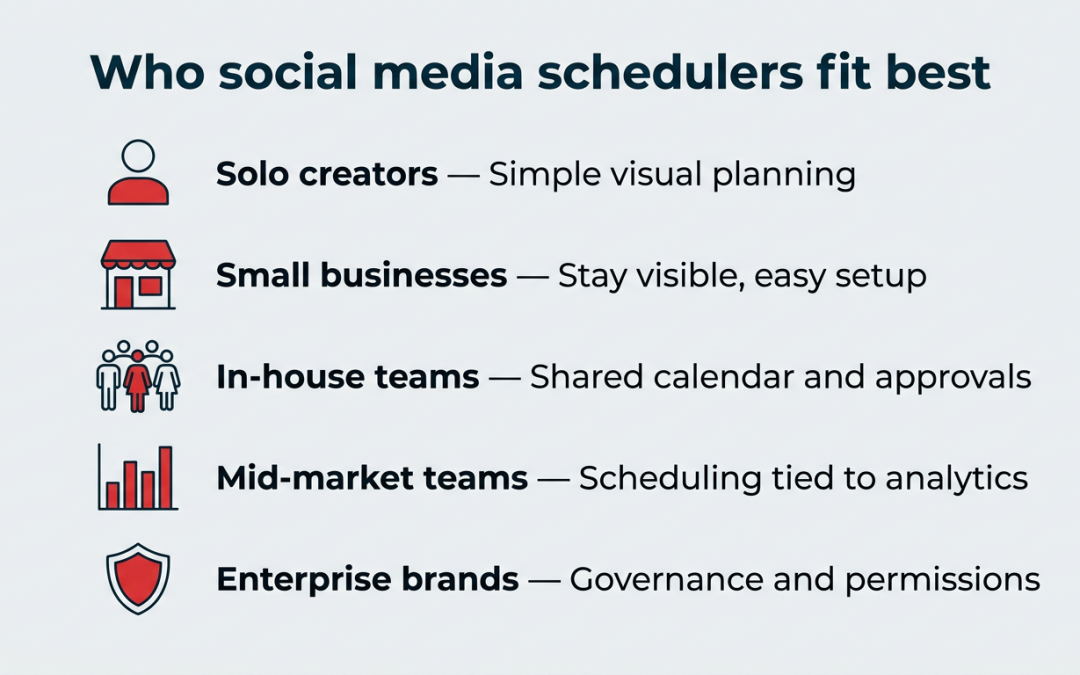
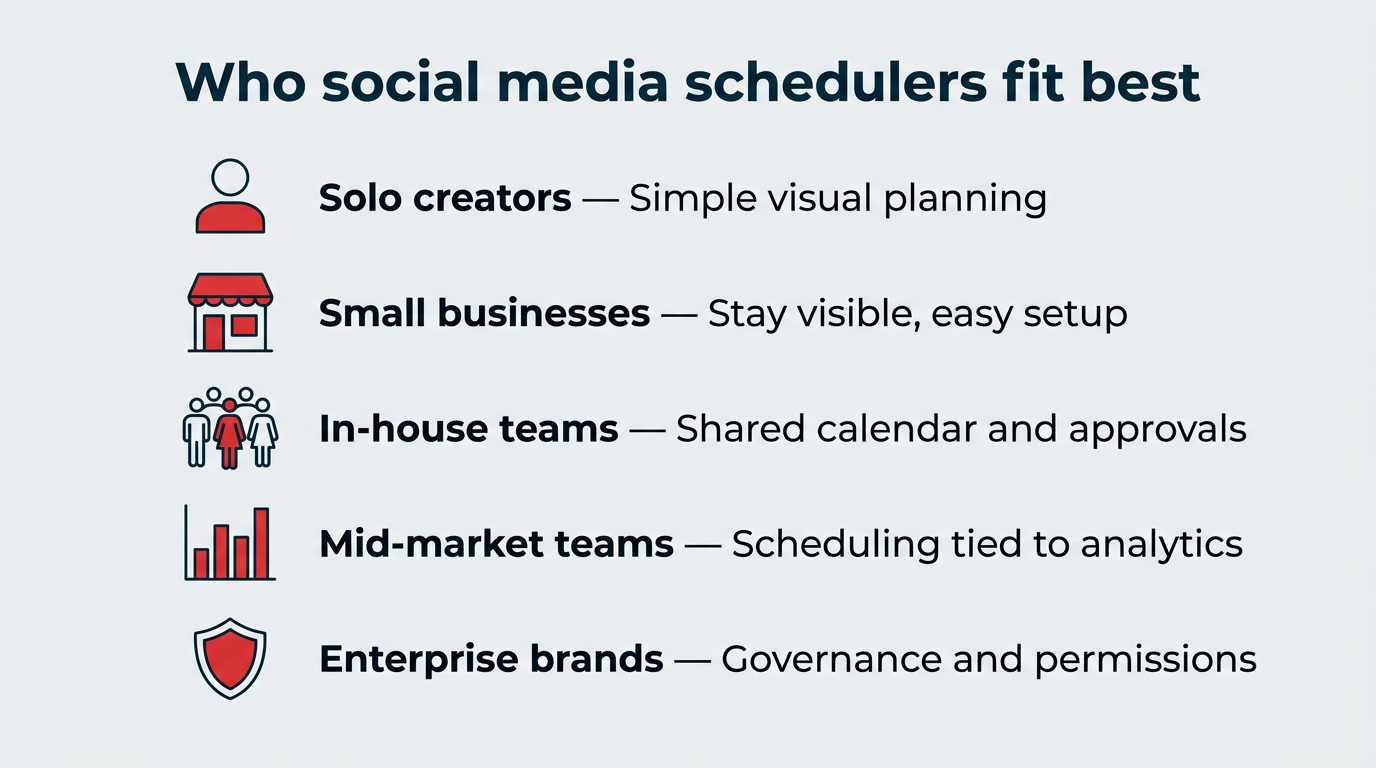
Almost anyone posting to more than one social account regularly will get value from a scheduler, but what you need from it changes a lot depending on how you work. Here’s how the main groups break down:
- Solo creators: Need affordable, simple scheduling with a visual planner so they can batch content between other projects.
- Small businesses and freelancers: Need to stay visible on a few key channels without hiring help, so content recycling and easy onboarding matter most.
- In-house social teams: Need a shared content calendar, drafts, and approvals so two people never post the same thing twice.
- Mid-market marketing teams: Need scheduling tied to analytics and reporting so publishing decisions connect to performance.
- Enterprise and multi-brand organizations: Need governed workflows, role-based permissions, multi-region support, and audit trails alongside bulk publishing at scale.
If you fall into the last two groups, a single-purpose scheduler will likely run out of room fast.
What features should you look for in a social media scheduling tool?
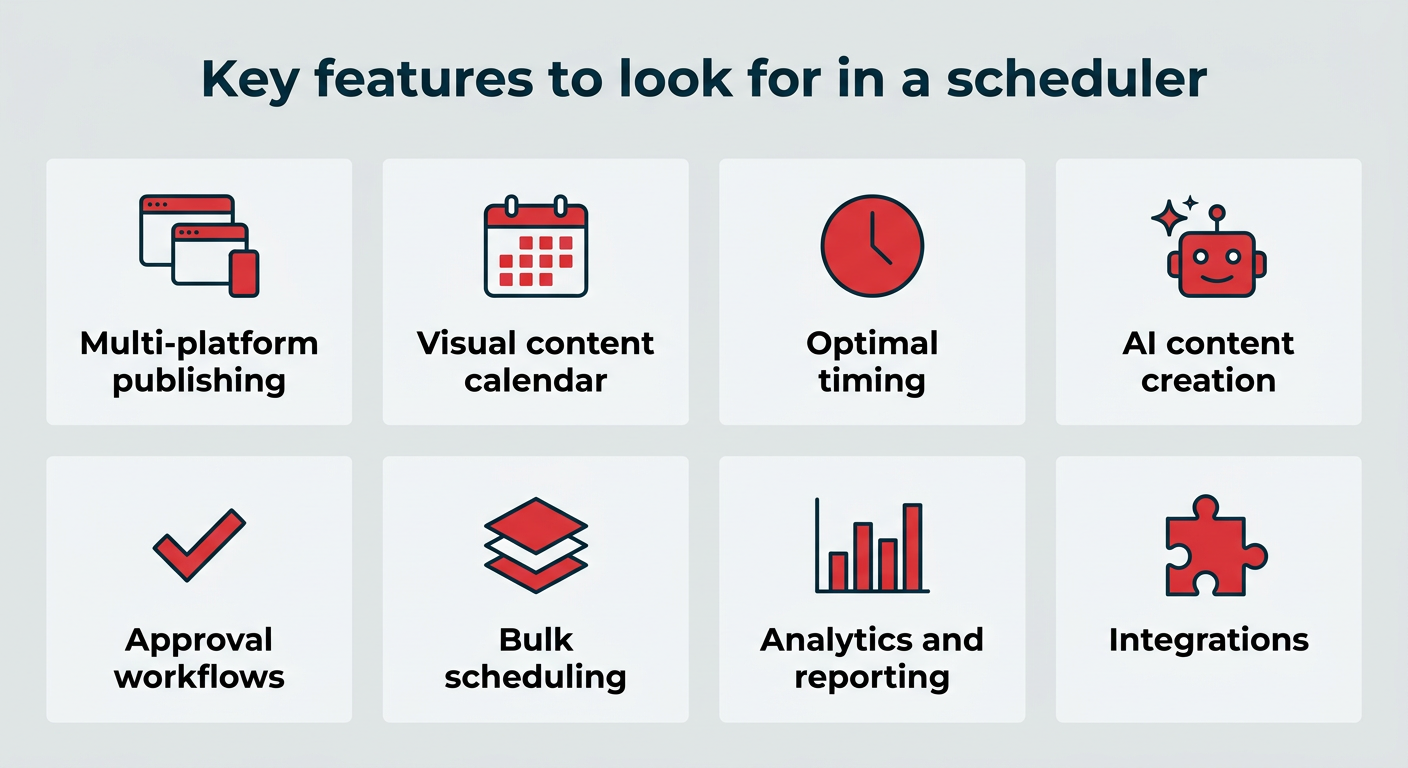
The best scheduling tools do more than push posts out on a timer. Use this list as your evaluation checklist:
- Multi-platform publishing: Customize posts and cross-post to multiple social media accounts, all on one screen.
- Visual content calendar: Plan, curate, review, and edit an integrated schedule of social content across platforms and campaigns.
- Optimal timing recommendations: Make sure you post at the best time based on your own audience data, not generic industry averages.
- AI-powered content creation: Turn prompts, briefs, or existing assets into draft posts you can review and edit before scheduling.
- Approval workflows and permissions: Set custom permissions and review steps so nothing goes live before the right person signs off.
- Bulk scheduling: Upload and queue large batches of content at once instead of building posts one by one.
- Analytics and reporting: Tie published posts back to reach, engagement, and conversions in the same place you schedule them.
- Asset management: Store, organize, and reuse approved creative from a central media library.
- Integrations: Connect the tools your team already uses, from design software to ecommerce platforms and internal chat.
- Reliable customer support: Troubleshoot issues quickly and keep your publishing workflow running.
Weigh these against your team size. A solo creator can skip approvals; an enterprise team cannot.
Best social media scheduling tools at a glance
The table below compares every tool covered in this post by who it’s best for, platform support, price, and standout feature.
| Tool | Best for | Platforms supported | Starting price (2026) | Free plan? | Key feature |
|---|---|---|---|---|---|
| Perch by Hootsuite | Large teams & enterprises | Facebook, Instagram, X, TikTok, YouTube, Pinterest, LinkedIn, Threads | $99/user/mo | Free trial | All-in-one publishing, AI content, and analytics |
| Agorapulse | Mid-market teams | Facebook, Instagram, X, TikTok, YouTube, LinkedIn, Google Business Profile | $79/user/mo (billed annually) | Yes (limited free plan) | Unified inbox plus scheduling |
| Planable | Content reviews & approvals | Facebook, Instagram, X, TikTok, YouTube, LinkedIn, Google Business Profile | $33/workspace/mo | Yes (limited) | Multi-step approval workflows |
| Buffer | Simple scheduling | Facebook, Instagram, X, TikTok, YouTube, LinkedIn, Mastodon, Bluesky, Pinterest, Threads, Google Business Profile | $5/channel/mo | Yes (limited) | No-frills scheduling |
| Later | Smaller creators & brands | Facebook, Instagram, X, TikTok, YouTube, Pinterest, LinkedIn | $25/mo | No | Visual Instagram feed planner |
| MeetEdgar | Freelancers & small businesses | Instagram, Facebook, X, LinkedIn, Pinterest, TikTok, Threads | $299/yr | No | Evergreen content recycling |
| SocialBee | Content categorization | Facebook, Instagram, X, TikTok, YouTube, LinkedIn, Pinterest, Threads, Bluesky, Google Business Profile | $29/mo | No | Category-based evergreen queues |
| HubSpot | CRM-based marketing teams | Instagram, Facebook, X, LinkedIn | $890/mo (3 seats) | No | Scheduling tied to CRM & campaigns |
| Canva | Design-led teams | Facebook, Instagram, X, LinkedIn | $144/yr | Yes (design only) | Design and schedule in one flow |
| Meta Business Suite | Free Facebook + Instagram scheduling | Facebook, Instagram | Free | Yes | Free native Meta scheduling |
| Tailwind | Pinterest-focused scheduling | Pinterest, Instagram, Facebook | $29.99/mo | Yes (limited) | Pinterest optimization |
| KAWO | Chinese social platforms | WeChat, Weibo, Kuaishou, Douyin | $4,000/yr | No | Scheduling for Chinese networks |
| Airtable | Automation-driven workflows | Facebook, X, more via integrations | $20/seat/mo | Yes (limited) | Workflow automation and triggers |
13 best social media scheduling tools for 2026
We’ve grouped the tools below by what they’re built for, so you can jump straight to the category that fits your team.
All-in-one social media scheduling tools
These platforms combine scheduling with analytics, engagement, collaboration, and reporting, so publishing isn’t a standalone task.
1. Perch by Hootsuite
Best for: Large teams and enterprises managing multiple social media accounts.
Why it stands out: Perch is a planning, publishing, and analytics powerhouse. It’s built for social teams that need more than basic scheduling — think content planning, cross-channel publishing, approvals, asset management, reporting, and AI-powered content creation in one connected workflow.
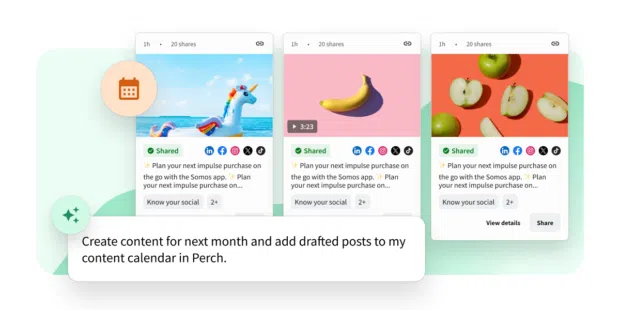
Perch helps teams move from idea to approved post faster. You can plan campaigns in a visual calendar, customize content for each network from one place, schedule posts at recommended times, and track what’s working once content goes live.
Perch also connects with Wisdom, Hootsuite’s social-first AI, to turn prompts into ready-to-review posts. Because Perch sits inside Hootsuite Social OS, publishing also connects to Vigil for brand safety and governance, so approvals and permissions travel with your content instead of living in a separate spreadsheet.
Key scheduling features:
- Auto-posting and bulk scheduling
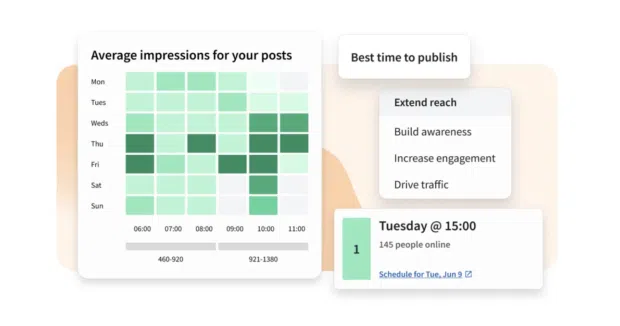
- Custom posting time recommendations based on your unique social media analytics
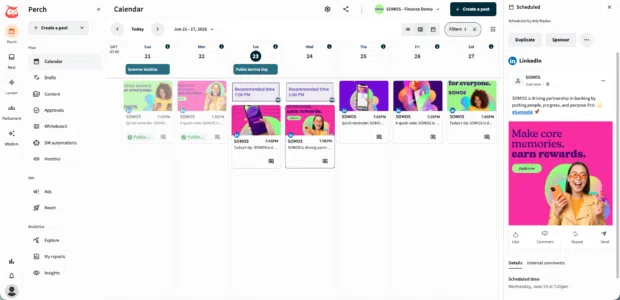
- A drag-and-drop visual content calendar for planning across accounts and campaigns
- The ability to customize one post for multiple platforms from a single screen
- Built-in collaboration tools, approval workflows, and role-based permissions
- A central media library to store, organize, and reuse approved assets
- AI-assisted content creation with Wisdom
- Post-performance tracking, benchmarking, and reporting in one dashboard
- App integrations, including Canva, Notion, Slack, Bluesky, Mailchimp, RSS Autopublisher, and more
Perch offers powerful content curation tools, including a simple drag-and-drop visual calendar that makes content planning across all your accounts easy.
If you sell online, Perch also connects to ecommerce platforms through the Hootsuite app directory, including Shopify, WooCommerce, BigCommerce, and Magento, so product content can flow into your calendar.
Where it shines:
- Scheduling, approvals, asset management, and reporting live in one workflow
- Best-time recommendations are based on your own account data
- Scales to multiple brands, regions, and users without breaking governance
Where it falls short:
- More platform than a solo creator posting to one channel needs
Platforms supported: Instagram (Posts, Stories, and Reels), Facebook, X (Twitter), Pinterest, LinkedIn, YouTube, TikTok, and Threads
Pricing: The Standard plan is $99 per user per month, Advanced is $249 per user per month, and Enterprise is custom priced.
2. Agorapulse
Best for: Mid-market teams that want scheduling and community management together.
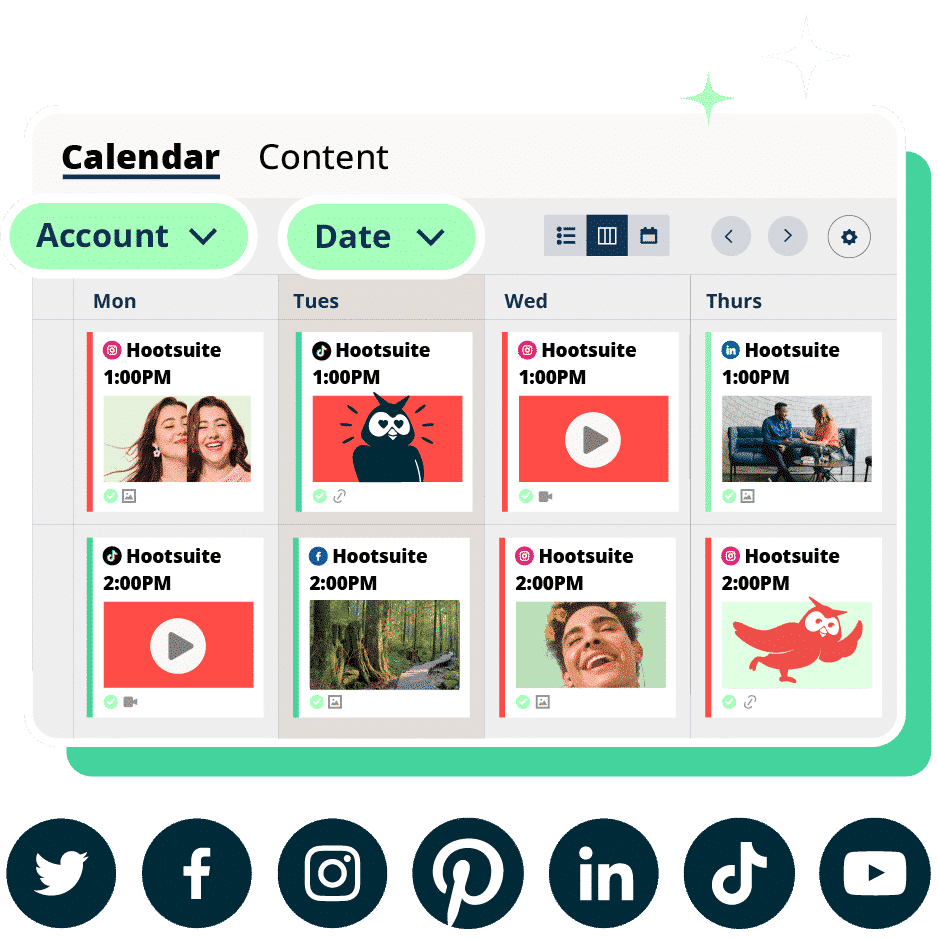
Why it stands out: Agorapulse pairs a shared publishing calendar with a unified inbox, so the same team that schedules posts also handles the replies those posts generate. Content can move through internal approvals before it publishes, and reports can be exported for clients or leadership.
It’s a common pick for agencies and mid-sized in-house teams who have outgrown a basic scheduler but don’t need enterprise-level governance.
Key scheduling features:
- Shared content calendar with drafts and internal approvals
- Queue categories for recurring content types
- Unified inbox for comments and DMs
- Exportable reporting per profile or client
Where it shines:
- Publishing and engagement live side by side
- Clean client reporting without extra tools
Where it falls short:
- Per-user pricing adds up quickly for larger teams
- Fewer AI content features than AI-first platforms
Platforms supported: Facebook, Instagram, X (Twitter), LinkedIn, TikTok, YouTube, Google Business Profile
Pricing: Paid plans start at $79 per user per month billed annually ($99 per user per month billed monthly).
3. Planable
Best for: Teams that live and die by content reviews and approvals.
Why it stands out: Planable is built around feedback. Posts appear exactly as they will on each network, and stakeholders can comment, suggest edits, and approve in line rather than over email. Multi-step approval flows mean a post can pass through a copy editor, a client, and a legal reviewer before it publishes.
You can also switch between calendar, feed, grid, and list views depending on whether you’re planning a campaign or reviewing a single week.
Key scheduling features:
- Multi-step approval workflows
- In-line comments and suggested edits
- Calendar, feed, grid, and list planning views
- Platform-accurate post previews
Where it shines:
- Fastest path from draft to sign-off for approval-heavy teams
- Clients and stakeholders can review without a full seat
Where it falls short:
- Analytics are lighter than all-in-one platforms
- No social listening
Platforms supported: Facebook, Instagram, X (Twitter), LinkedIn, TikTok, YouTube, Google Business Profile
Pricing: Paid plans start at $33 per workspace per month, with a limited free plan available (50 posts total).
Social media scheduling tools for small teams
These tools trade advanced governance and reporting for speed, simplicity, and a lower price tag.
4. Buffer
Best for: Straightforward social media scheduling.
Why it stands out: Buffer‘s dashboard is simple and straightforward, offering great ease of use for social media managers and small teams who just want to get in, schedule, and get out. It’s the kind of tool you can pick up in minutes, with virtually no learning curve.
It allows you to schedule posts to Instagram, Facebook, X, TikTok, LinkedIn, YouTube, Mastodon, Bluesky, Pinterest, Threads, and Google Business Profile. You can also use it to reply to comments on Facebook Pages and Instagram business accounts.
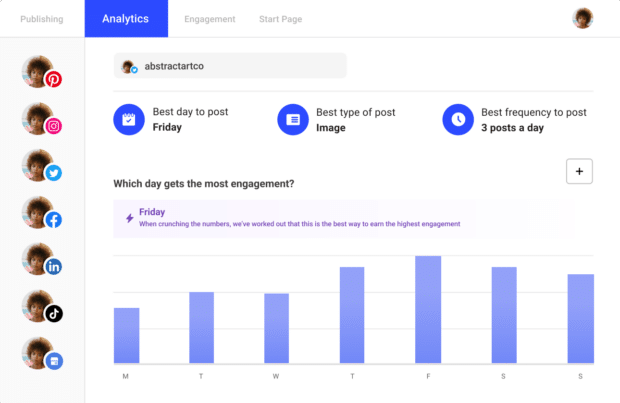
Source: Buffer
When it comes to all-in-one platforms, Buffer is relatively light on features. It doesn’t offer analytics for all platforms and doesn’t come with any social listening tools.
Key scheduling features:
- Schedule posts across major social platforms
- Easy onboarding
- Customize posts for different platforms
- Reply to comments on supported networks
Where it shines:
- Near-zero learning curve
- Low per-channel pricing for solo users
Where it falls short:
- Limited analytics and no social listening
- Thin approval and permission controls for larger teams
Platforms supported: Instagram, Facebook, X (Twitter), LinkedIn, TikTok, YouTube, Mastodon, Bluesky, Pinterest, Threads, Google Business Profile
Pricing: Buffer has a (limited) free plan and offers scheduling for 1 channel starting at $5/month.
5. Later
Best for: Smaller creators and brands that like to visualize social content before publishing.
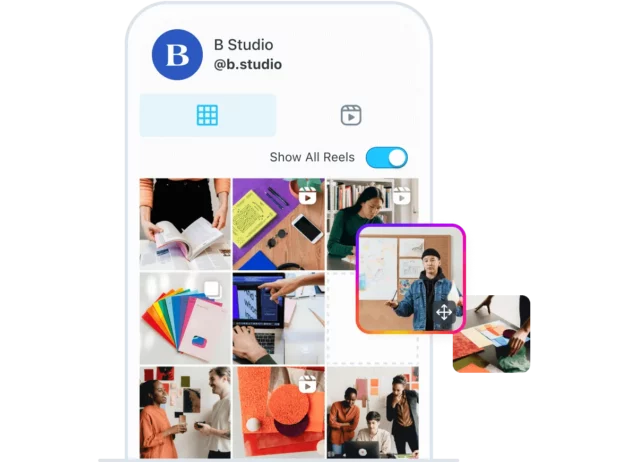
Why it stands out: Later focuses on visual content planning, making it appealing to creators and smaller brands that want to preview and plan how their social feeds will look before publishing.
If you want to make your Instagram feed stand out, Later has some useful extras. They offer an Instagram feed planner that lets you visualize exactly how your Instagram grid will look after you post. You can also build a link-in-bio landing page, save reusable caption and hashtag sets, and drag media in from a shared library rather than uploading files one at a time.
Be sure to read our guide to Hootsuite vs. Later for more on how these platforms compare.
Source: Later
Key scheduling features:
- Visual Instagram feed planner
- Basic post scheduling tools
- Content calendar with previews
- Media library for reusable assets
- Saved caption and hashtag sets
Where it shines:
- Best-in-class grid preview for Instagram-led brands
- Simple enough for a team of one
Where it falls short:
- Post and account limits on lower plans
- Reporting is basic compared to all-in-one platforms
Platforms supported: Facebook, Instagram, X, TikTok, YouTube, Pinterest, and LinkedIn
Pricing: Paid plans start at $25/month.
6. MeetEdgar
Best for: Freelancers, entrepreneurs, and small businesses.
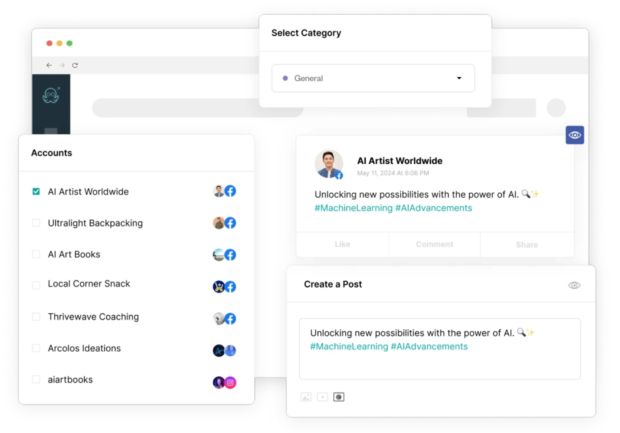
Why it stands out: MeetEdgar is a social media scheduling tool designed for people who want their social presence to run in the background while they focus on everything else.
Its standout feature is that it automatically recycles evergreen posts, so your feeds never go quiet even when you’re not creating something new.
MeetEdgar can schedule and repurpose content for Facebook, Instagram, X, Pinterest, and LinkedIn. However, it lacks some of the more advanced features needed for larger organizations.
Source: MeetEdgar
Key scheduling features:
- Evergreen content libraries
- Automated content recycling
- Schedule content weeks and months in advance
Where it shines:
- Keeps feeds active with almost no ongoing effort
- Set-and-forget category queues
Where it falls short:
- No approval workflows or role-based permissions
- Recycled content needs manual review to stay current
Platforms supported: Instagram, Facebook, X (Twitter), LinkedIn, Pinterest, TikTok, and Threads
Pricing: MeetEdgar’s pricing is available on their website.
7. SocialBee
Best for: Teams that organize content into recurring categories.
Why it stands out: SocialBee builds your schedule around content categories rather than individual posts. You define buckets like promotions, blog links, or curated content, assign each one a posting cadence, then fill them over time. The queue keeps a balanced mix going out without you rebuilding the calendar every week.
It also supports a wide range of networks for its price point, which makes it useful for small teams posting everywhere at once.
Key scheduling features:
- Category-based content queues
- Evergreen post recycling with expiry dates
- Platform-specific post variations
- AI-assisted caption drafting
Where it shines:
- Broad network coverage on affordable plans
- Category system keeps your content mix balanced
Where it falls short:
- Interface takes time to learn
- Reporting is functional rather than deep
Platforms supported: Facebook, Instagram, X (Twitter), LinkedIn, TikTok, YouTube, Pinterest, Threads, Bluesky, Google Business Profile
Pricing: Paid plans start at $29 per month.
Platform-specific and niche scheduling tools
These tools solve for one platform, one workflow, or one ecosystem. They work best as part of a wider stack rather than as your only scheduler.
8. HubSpot
Best for: Marketing teams using a CRM-based workflow.
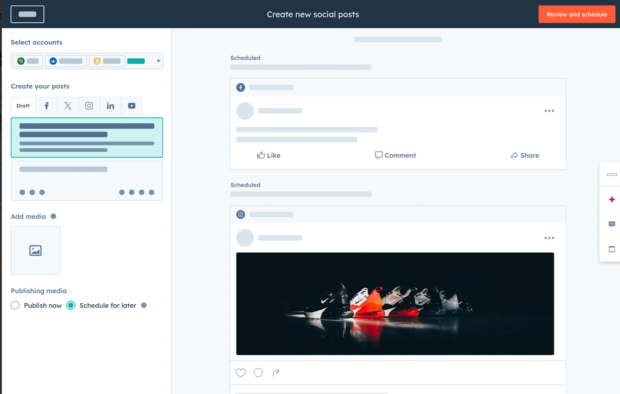
Why it stands out: HubSpot‘s social media scheduler is part of its broader marketing platform, helping teams manage social content alongside CRM, email, and campaign data.
It allows you to publish content to LinkedIn, Facebook, Instagram, and X and schedule your content to go live at the best possible time. It makes the most sense as an add-on for teams already running their marketing inside HubSpot, not as a standalone social tool.
Source: HubSpot
Key scheduling features:
- Schedule posts across major platforms
- Centralized campaign management
- Data-driven reporting tied to marketing performance
Where it shines:
- Connects social posts to contacts, deals, and campaigns
- One reporting layer across email and social
Where it falls short:
- Expensive if you only need social scheduling
- Fewer networks supported than dedicated social tools
Platforms supported: Instagram, Facebook, X (Twitter), LinkedIn
Pricing: HubSpot’s Marketing Hub Professional plan starts at $890/month with 3 seats included.
9. Canva
Best for: Design-led content teams.
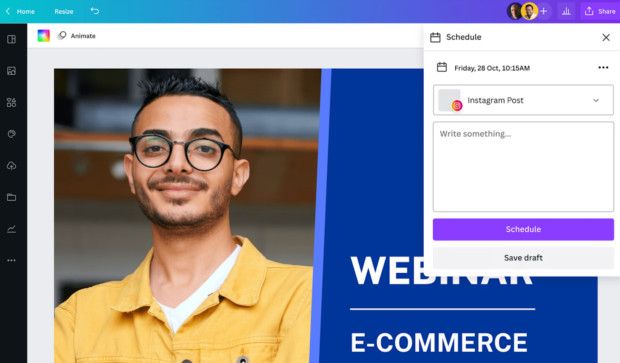
Why it stands out: If you work in social, chances are Canva is already open in another tab. But did you know Canva includes a social media scheduler and planner?
With a Canva Pro account, you can design and publish posts in one flow, no platform hopping required. It supports publishing to Facebook, Instagram, X, and LinkedIn, making it easy to take a post from idea to live without breaking your rhythm. Scheduling is a secondary feature here, so treat it as a design tool that can publish rather than a full scheduler.
Source: Canva
Key scheduling features:
- Schedule posts directly from the design dashboard
- Basic performance tracking, including likes, clicks, impressions, and more
- Built-in design templates
- Integration with Perch for expanded workflows
Where it shines:
- Design and publish without switching tools
- Huge template library your whole team can use
Where it falls short:
- Four networks only, with no approval workflows
Platforms supported: Facebook, Instagram, X, and LinkedIn.
Pricing: Canva Pro pricing is available on their website.
10. Meta Business Suite
Best for: Free Facebook and Instagram scheduling.
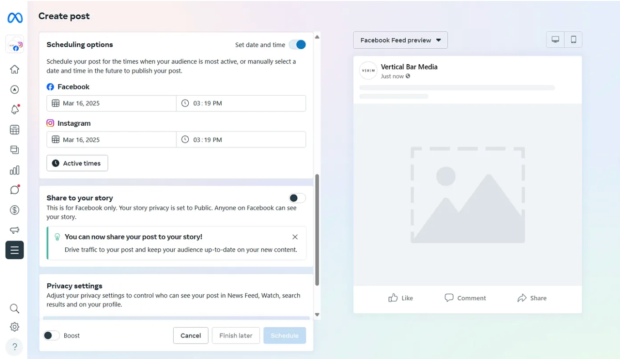
Why it stands out: Meta Business Suite is a free social media scheduling tool for Facebook and Instagram posts. It’s available on both desktop and as a mobile app. If Meta platforms are your only channels, it costs nothing and does the job.
Because it’s a native tool, it has some limits. When you schedule Stories, you won’t get the full set of creative features you’d see in the Instagram app. However, you can still add text, crop images, and use a few basic stickers.
Source: Medium
Where it shines:
- Completely free with no post limits
- Direct access to Meta’s own audience data
Where it falls short:
- Facebook and Instagram only
- No cross-network calendar, approvals, or unified reporting
Platforms supported: Instagram and Facebook.
Pricing: Free
11. Tailwind
Best for: Pinterest-focused scheduling.
Why it stands out: Tailwind remains one of the strongest options for scheduling and optimizing Pinterest content. It offers a personalized posting schedule, interval planning, and the ability to schedule to multiple boards.
And now, it also supports scheduling on Instagram and Facebook.

Source: Tailwind
Key scheduling features:
- Personalized posting schedules
- Multi-board scheduling
- Content optimization features for Pinterest
Where it shines:
- Deepest Pinterest scheduling features of any tool here
- Interval posting protects you from board spam
Where it falls short:
- Only three networks supported
- Account limits on lower plans
Platforms supported: Pinterest, Instagram, Facebook
Pricing: Tailwind’s Pin Scheduling & Creation plan starts at $29.99/month on a monthly plan, priced per Pinterest account.
12. KAWO
Best for: Scheduling content on Chinese social platforms.
Why it stands out: KAWO is a social media scheduler specifically for the Chinese social media platforms WeChat, Weibo, Kuaishou, and Douyin (the Chinese version of TikTok).
It includes a clear content calendar, scheduling tools, and recommendations for the best times to post.
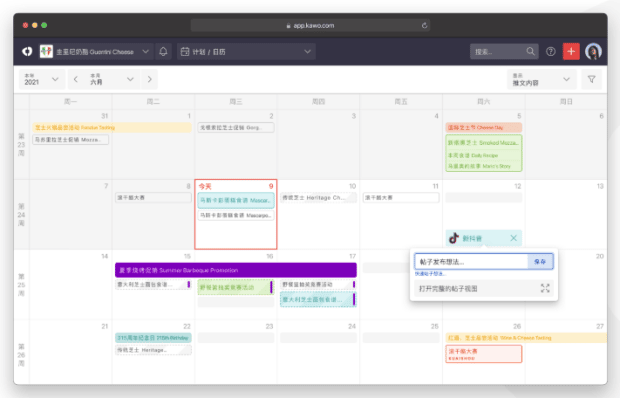
You can also connect KAWO to Hootsuite, so your WeChat and Weibo content lives alongside your other social channels in one dashboard.
Key scheduling features:
- Calendar-based scheduling
- Best-time-to-post recommendations
- Content management for Chinese platforms
Where it shines:
- One of very few tools covering WeChat, Weibo, Kuaishou, and Douyin
- Connects to Hootsuite so China content sits with everything else
Where it falls short:
- Annual contract pricing puts it out of reach for smaller teams
Platforms supported: WeChat, Weibo, Kuaishou, Douyin
Pricing: Plans start at $4,000/year.
13. Airtable
Best for: Automation-driven scheduling.
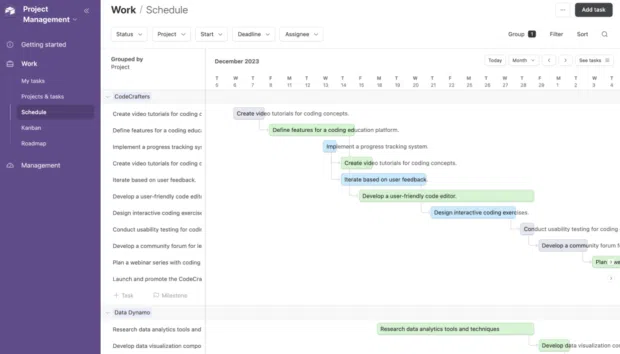
Why it stands out: Airtable isn’t a social scheduler so much as a workflow engine that can trigger posts. It helps teams plan, organize, and automate how content gets created and approved before it ever reaches a network.
Instead of clicking “schedule” on every post, you build workflows. You can track goals, timelines, and tasks in one place, then use Airtable to trigger posts to go live on platforms like X or Facebook when conditions are met.
It’s a smart option for teams that care as much about process as they do about publishing.
Source: Airtable
Key scheduling features:
- Custom content calendars
- Automation-based posting triggers
- Workflow and task management
- Integration with Hootsuite via apps
Where it shines:
- Total control over your production process
- Connects social work to wider project tracking
Where it falls short:
- Needs setup work and integrations to publish anywhere
- No native social analytics or previews
Platforms supported: Facebook, X (Twitter); more via integrations
Pricing: Airtable’s Team plan starts at $20/month per seat when billed annually.
How do social media scheduling tools work?
Social media scheduling tools work by connecting to each social network through its API, or application programming interface. Think of the API as a secure handshake that lets the scheduling tool talk to each platform, pass along your content, and publish it on your behalf.
Scheduling tools connect all of your social profiles to a central platform you can use to schedule content for posting according to your social media content calendar.
You choose what to publish and when, and the tool takes care of posting at the scheduled time. That means you can batch-schedule a day, a week, or even months of content in one sitting and still show up consistently when you’re away from your desk.
How to post using a scheduling tool for social media
Here’s a quick breakdown of how scheduling tools for social media generally work on the main social platforms.
- Link your accounts to a social media scheduling tool.
- Compose your social content and choose which account(s) you want to post to. A good social media scheduling tool will allow you to customize one post for multiple social accounts on various networks, all from one screen.
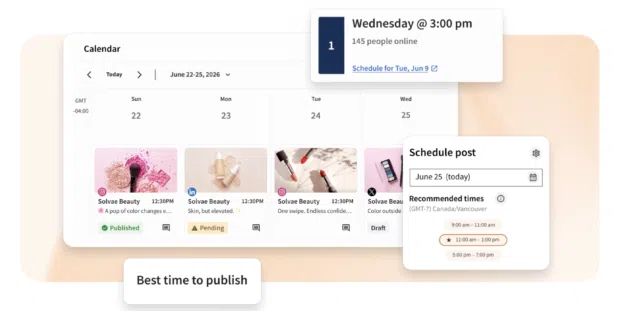
- Choose the schedule for later option and select your preferred time. The best social media scheduling platforms will provide customized recommendations for the best time to schedule your post for the strongest response.
- That’s it for most post types. Some Instagram Stories formats still require a push notification at the scheduled time so you can complete publishing in the app.
The process for scheduling videos to YouTube is slightly different. Remember those APIs we mentioned? The YouTube API behaves differently, which requires a slightly different process.
When you import your video to your social media scheduling tool, mark it as private and use the scheduling option to set a time for it to go public.
How to schedule multiple posts at once using a social media scheduling tool
One huge advantage of using a scheduling tool for social media is the ability to schedule multiple posts at once. This is also known as bulk scheduling.
Here’s how it works.
- Add the posting dates and social content for multiple posts to a CSV file format that conforms to the requirements of your social media scheduling tool. Hootsuite allows you to bulk schedule up to 350 posts on its Advanced plan.
- Upload the file to your social media scheduling tool.
- Review your posts, make any desired additions or tweaks, and click Schedule.
How to choose the best social media scheduling tool for your team
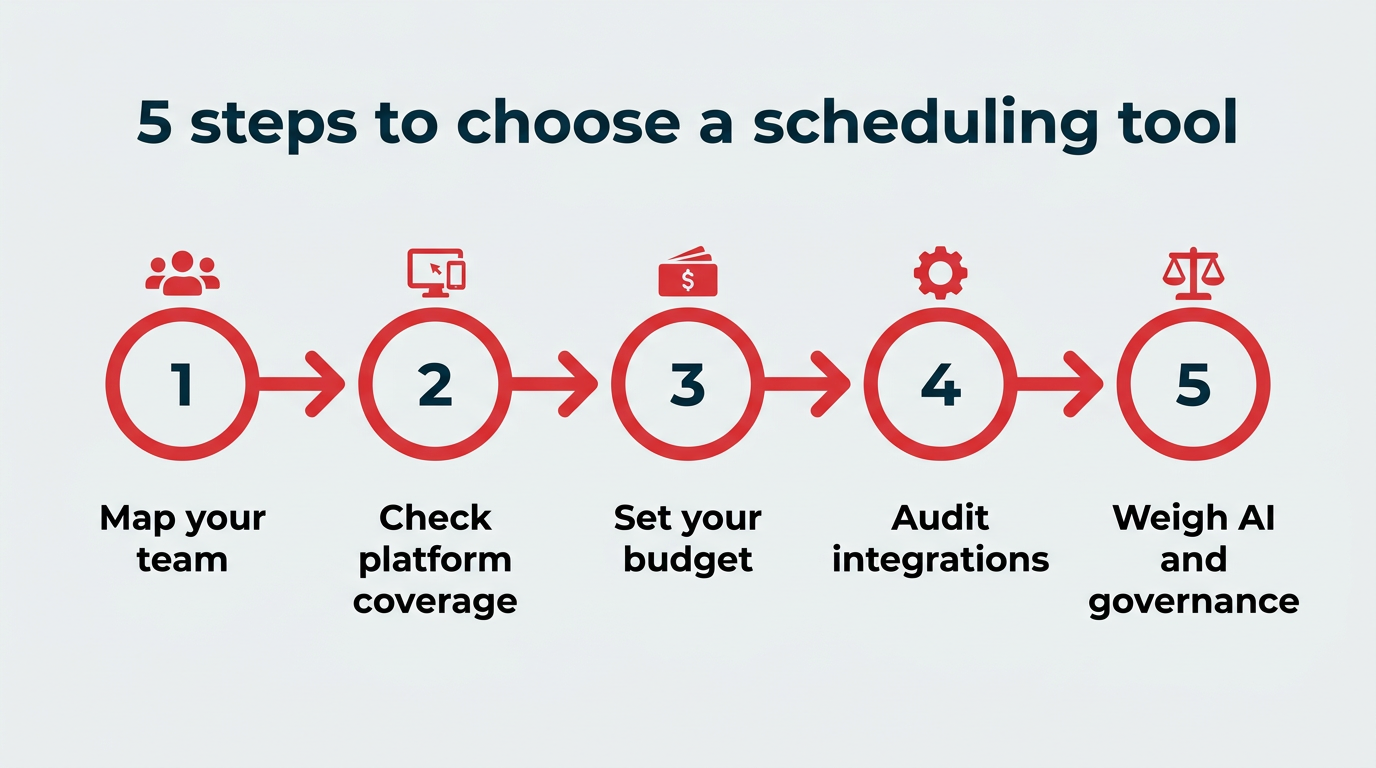
Choosing the best social media scheduler comes down to matching the tool to how your team actually works, not to the longest feature list. Work through these five steps:
- Map your team and workflow: Count how many people touch a post before it publishes. If that number is more than one, approvals and permissions move from nice-to-have to essential.
- Check platform coverage: With half of 18- to 29-year-olds using TikTok daily, list every network you post to today, plus any you expect to add. A tool that covers four of your six channels means you’re still working in two places.
- Set your real budget: Compare per-user, per-channel, and flat pricing. A $5 plan for one channel and a $99 plan for a five-person team are very different math problems.
- Audit your integrations: Note the design, ecommerce, analytics, and chat tools your team relies on, then confirm the scheduler connects to them.
- Weigh AI and governance needs: Decide whether you need AI help drafting and timing content, and whether your organization requires audit trails, brand safety controls, or regional permissions.
In short, the right tool depends on whether you need simple scheduling or a connected social operating system that ties publishing to intelligence, engagement, and governance.
How is AI changing social media scheduling in 2026?
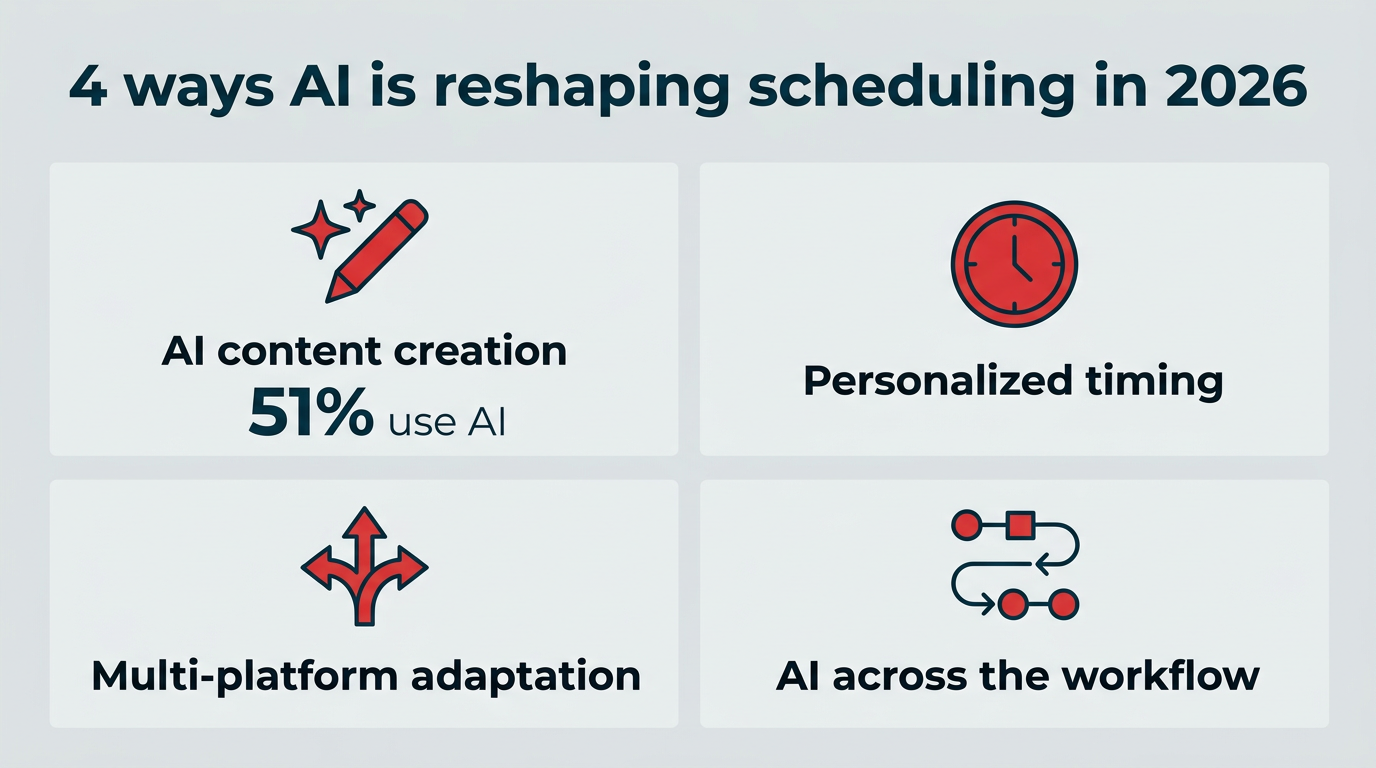
AI has shifted scheduling from a calendar task to a decision-making one. With AI-driven marketing automation expected to reach 36% by 2028 according to Gartner, the shift is accelerating. Rather than just holding your posts until a set time, AI-assisted schedulers now help you decide what to publish, when, and in what format. Four changes stand out.
First, AI-assisted content creation has become standard — 51% of content professionals use AI to accelerate production, according to a Canto and Ascend2 survey. Most major tools can turn a short prompt or an existing asset into a draft post, which you then review and edit before it enters the queue. The draft is a starting point, not a finished post, and human review still matters.
Second, timing recommendations have gotten more personal. Instead of generic industry benchmarks, tools now model your own account history to suggest windows when your audience is most likely to engage.
Third, multi-platform adaptation is faster. AI can reshape a single idea into formats that suit each network, so a LinkedIn post and a TikTok caption don’t have to be written from scratch.
Finally, AI is starting to sit across the whole workflow rather than one step of it. Hootsuite’s Wisdom, for example, works inside Perch so teams can move from prompt to draft to scheduled post without leaving the calendar, with performance data feeding back into what gets published next.
FAQ: Social media scheduling tools
What is the best social media scheduler in 2026?
What are the best social media scheduling tools for businesses?
What is a good free tool for scheduling social media content?
How do scheduling tools help enterprises manage social media at scale?
What features should brands look for in social media scheduling software?
Can social media scheduling tools post to all platforms?
How does AI help with social media scheduling?
How many social media accounts can I manage with a scheduling tool?
Social media scheduling tools vs. native platform schedulers: what’s the difference?
How do businesses measure ROI from social media scheduling tools?
Save time managing your social media marketing strategy with Hootsuite. Publish and schedule posts, find relevant conversions, measure results, and more â all from one dashboard. Try it free today.
The post 13 best social media scheduling tools for 2026 appeared first on Social Media Marketing & Management Dashboard.